Also available in Portuguese: Um editor Markdown visual para o Standard Notes, com a nota guardada como Markdown puro.
After the API client and the Kanban board, this is the third plugin of the set: StandardNotes-Milkdown, a visual Markdown editor for Standard Notes built on Milkdown Crepe.
The idea is the same as in the other two: the note stays plain text. The plugin only changes how you edit it, so the note remains readable, searchable and exportable, and it is end-to-end encrypted like the rest of your data.
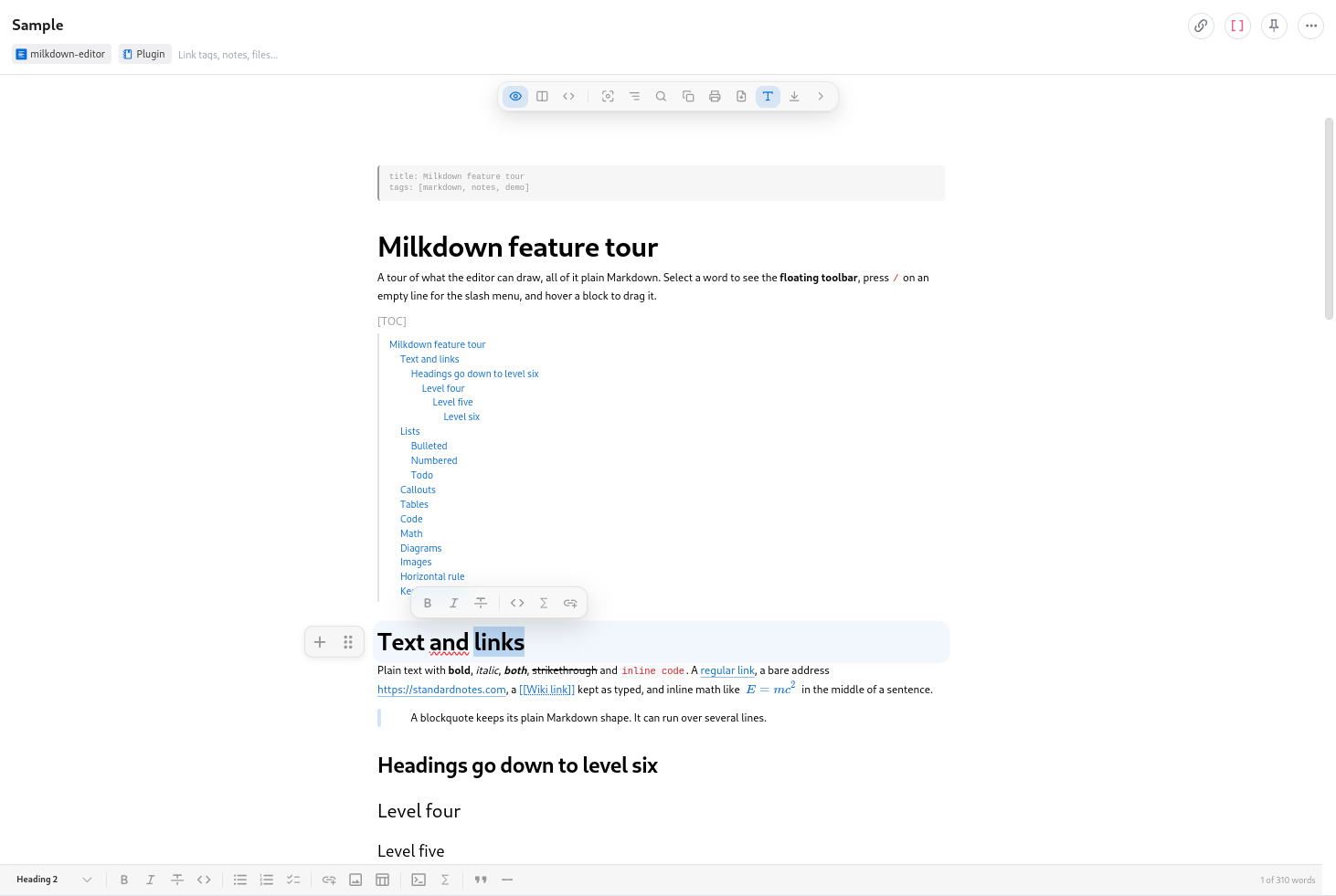
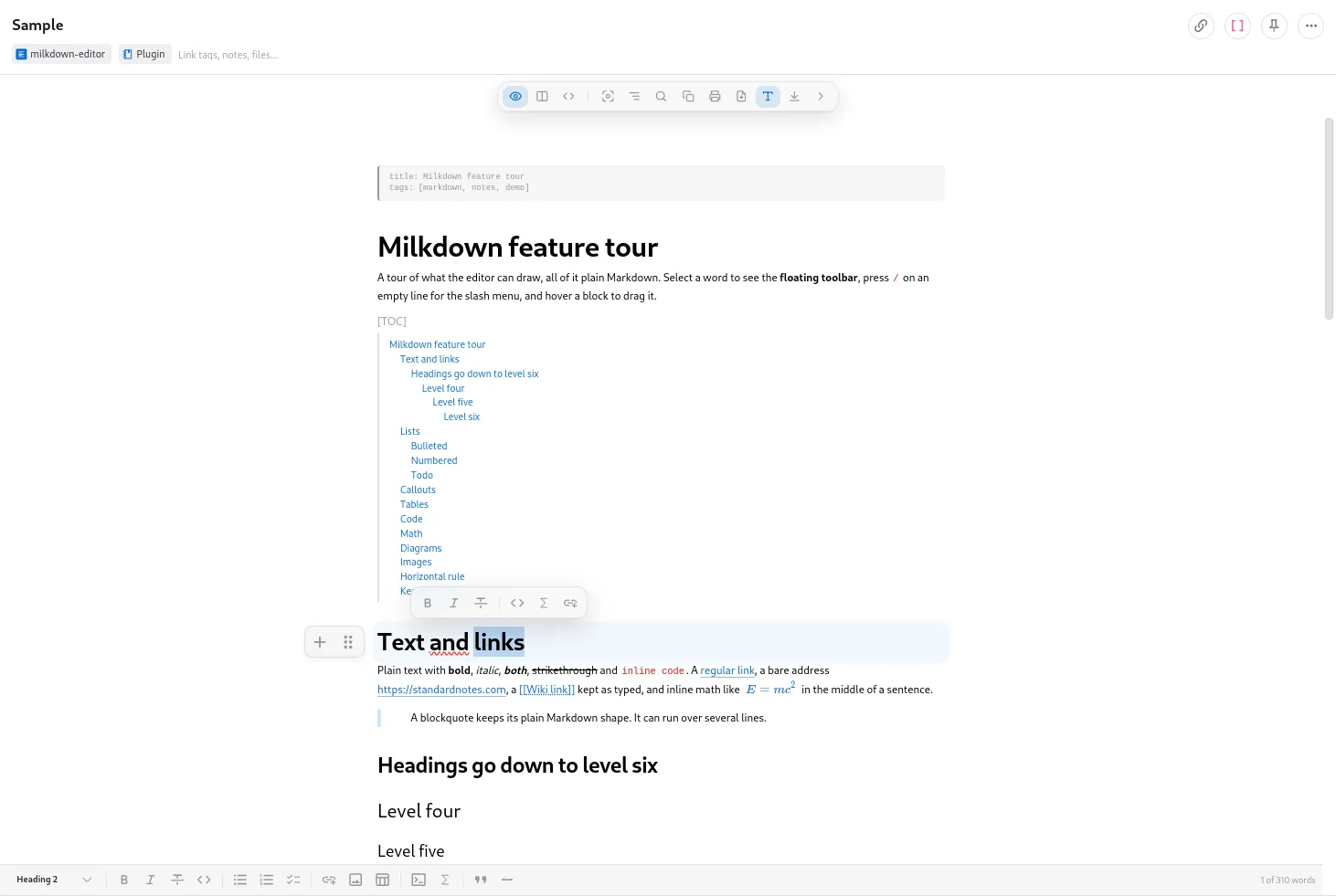
The note in the image is the one the Add sample button creates in an empty note: a tour of what the editor can draw, with front matter, a table of contents, lists and todos, the five alerts, a table, code, math, diagrams and an image.
What it has
Visual editing of the whole Markdown feature set without seeing the source: headings, lists, todo lists, tables, links, images, blockquotes and code blocks with syntax highlighting. A floating toolbar on the selection, a / slash menu and drag handles add and move blocks.
On top of that:
- Math with KaTeX, as
$inline$formulas and$$blocks. - Mermaid diagrams: a
```mermaidcode block shows a live preview, while the note keeps the source. The diagrams follow a change of the app theme without reopening the note. - A
[TOC]line that draws a live table of contents, and an outline panel with the note’s headings to jump around long notes. - Find and replace, with highlighted matches and a
2/7count. - A focus mode that dims every block but the one with the cursor.
- An optional fixed formatting bar, at the top or the bottom, with a word count and the reading time.
Copy as Markdown,PrintandExport as HTMLin the icon bar. Printing shows only the rendered note, and the export saves it as a page of its own.
Images uploaded, pasted or dropped are embedded in the note. Up to 500 KB they go in as they are, and larger ones are scaled down and recompressed, since the note syncs to every device.
Three modes
The icon bar at the top switches between Visual, Split and Source. Split puts the Markdown source next to the visual editor, side by side or stacked, and Source is a plain CodeMirror pane for fine-grained edits.
![The Split mode. On the left, the Markdown source of the note, with the front matter, the headings and the [TOC] line as text. On the right, the same note drawn by the visual editor, with the table of contents and the "Text and links" section. The icon bar shows "310 words · 2 min"](/images/standardnotes-milkdown/milkdown-split.png)
The icon bar floats at the top, centered, and folds away with the > button, leaving only a small < in the corner to bring it back. Layout choices are saved with the editor in your Standard Notes account. On narrow screens the split view stacks, and below 520 px the secondary actions move into a ... menu.
The note stays Markdown
The body of the note is CommonMark plus GitHub Flavored Markdown: tables, task lists and strikethrough.
# Shopping

- [x] bread
- [ ] coffee

| Item  | Price |
| ----- | ----- |
| bread | 2.50  |

> [!NOTE]
> Everything stays in the note as plain text.

Energy: $E = mc^2$

```mermaid
graph LR
  Idea --> Draft --> Done
```
Nothing is stored outside the note, so opening the same note with the built-in editor shows identical content. Opening a note never rewrites it, and nothing is saved until you edit.
The first edit is where the editor leaves its mark: it rewrites the whole note in the shape the visual editor writes. The visible changes are small:
*list markers become-.- Setext headings (
Titleover=====) become# Title, and a horizontal rule---becomes***. - Tables are padded with spaces and their alignment row is rewritten.
- Reference links become inline links, and the
[1]: urldefinition goes away.
What the editor keeps exactly as written is the list that matters for imported notes: YAML and TOML front matter, GitHub alerts, [[wiki links]], footnotes, inline HTML, inline math and the [TOC] line. Notes that come from GitHub, Obsidian, Jekyll or Hugo are not rewritten.
One known limit: Crepe stores the resize ratio of an image in its alt text, so resizing an image that has alt text replaces the alt with the ratio, for example .
Installation
-
In Standard Notes (web or desktop), open Preferences, then Plugins.
-
At the bottom of the page, paste the URL below into Install Custom Plugin:
https://esli.cafe/StandardNotes-Milkdown/ext.json -
Create a note, open the Editor menu and pick Milkdown.
The app checks that URL for updates, so new releases arrive on their own. It works on the web, desktop and mobile apps and follows the theme selected in the app.
Privacy and weight
The editor has no AI features and no network access of its own. The only remote content it loads is images linked by URL in the note, and Mermaid renders diagrams with its strict security level.
The cost is size: the main chunk is about 390 KB gzipped. KaTeX, about 80 KB gzipped, loads in its own chunk at startup, Mermaid only when a note has a diagram, and code block languages on demand.
If the editor ever fails to render, the raw note text stays available and editable in a plain text area, and edits are still saved.
The current version is v0.7.1, AGPL-3.0 licensed. The code is at github.com/Esl1h/StandardNotes-Milkdown. It is built on Standard Notes’ editor-kit and on Milkdown, which is MIT licensed.