Also available in Portuguese: Kanban dentro do Standard Notes, com o board salvo em Markdown.
In the previous post I covered the API client for Standard Notes. This is the other plugin: StandardNotes-kanban, a Kanban board whose state lives inside a note.
The board concept and the early versions are by corvec (sn-kanban-editor), and the credit is in the README.
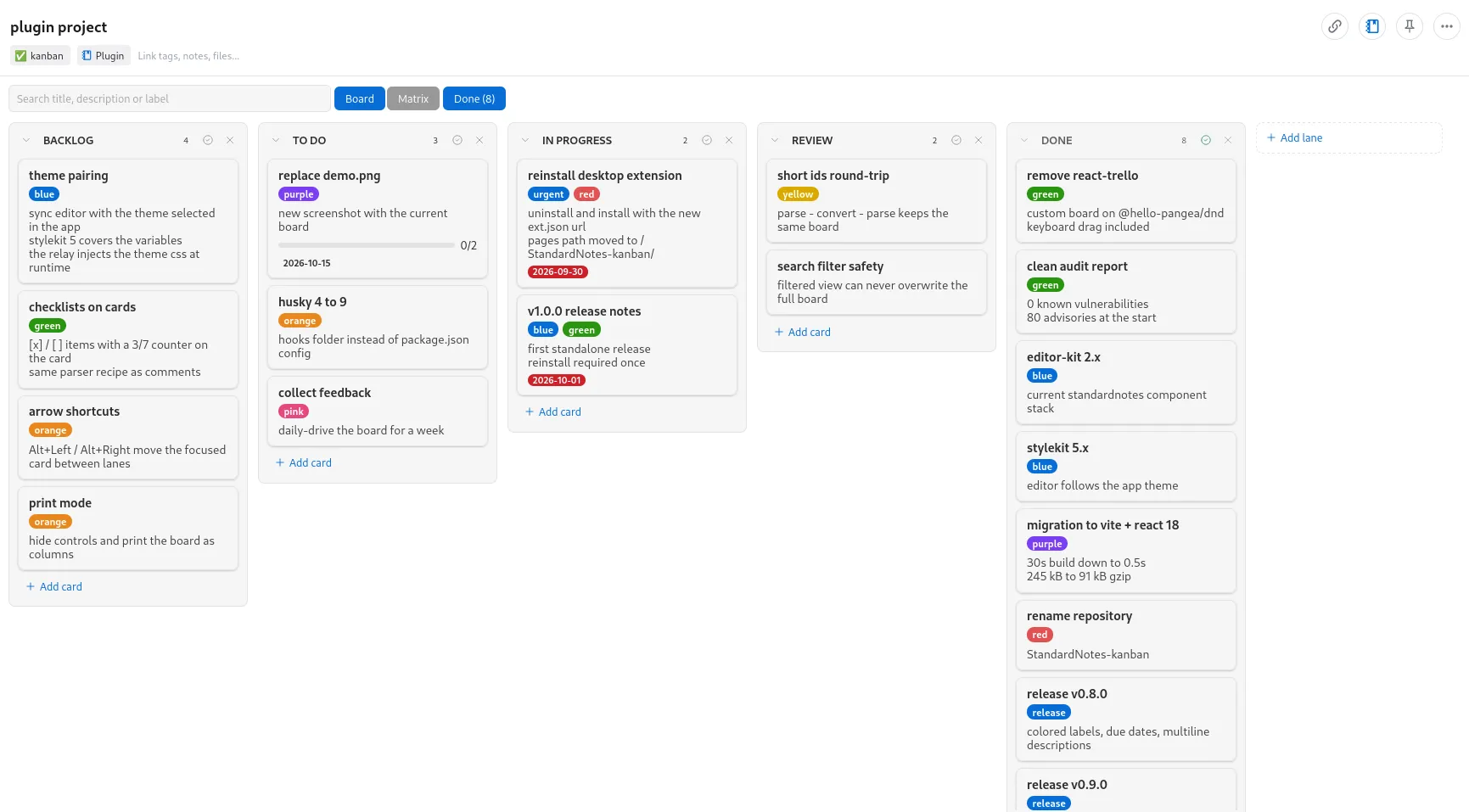
The board in the image is the project’s own. You can read its history in the Done column: the migration to Vite and React 18 cut the build from 30 seconds to 0.5, and the size from 245 kB to 91 kB gzipped.
What it has
Columns and cards with title, description, labels, checklist, due date and comments. Drag and drop between columns and within them, with keyboard dragging supported. Columns can be reordered, renamed and collapsed, and the collapsed ones are remembered per note on each device. The header shows the card count, and the card modal has a Move to select to send a card to any column.
Search covers title, description and labels, and it can be narrowed down: label:work keeps one label, and due:overdue, due:today or due:week filter by deadline. You can type them in the search or toggle them from the filter bar under it, and clicking a label on a card filters by that label.
Ctrl/Cmd+Z and Ctrl/Cmd+Shift+Z undo and redo changes to the board, and removing a card or a column offers an Undo.
Shortcuts: N adds a card, Ctrl/Cmd+F focuses the search, and Alt+Left and Alt+Right move the last clicked card to the adjacent column. The editor follows the theme selected in the app, on both web and desktop, and adapts to phone screens.
A done lane and an Eisenhower matrix
You can mark one column as the done lane. It leaves the board, which keeps it short, and a Done (N) button in the toolbar shows or hides it. While it is shown, Clear done removes the finished cards, with an Undo.
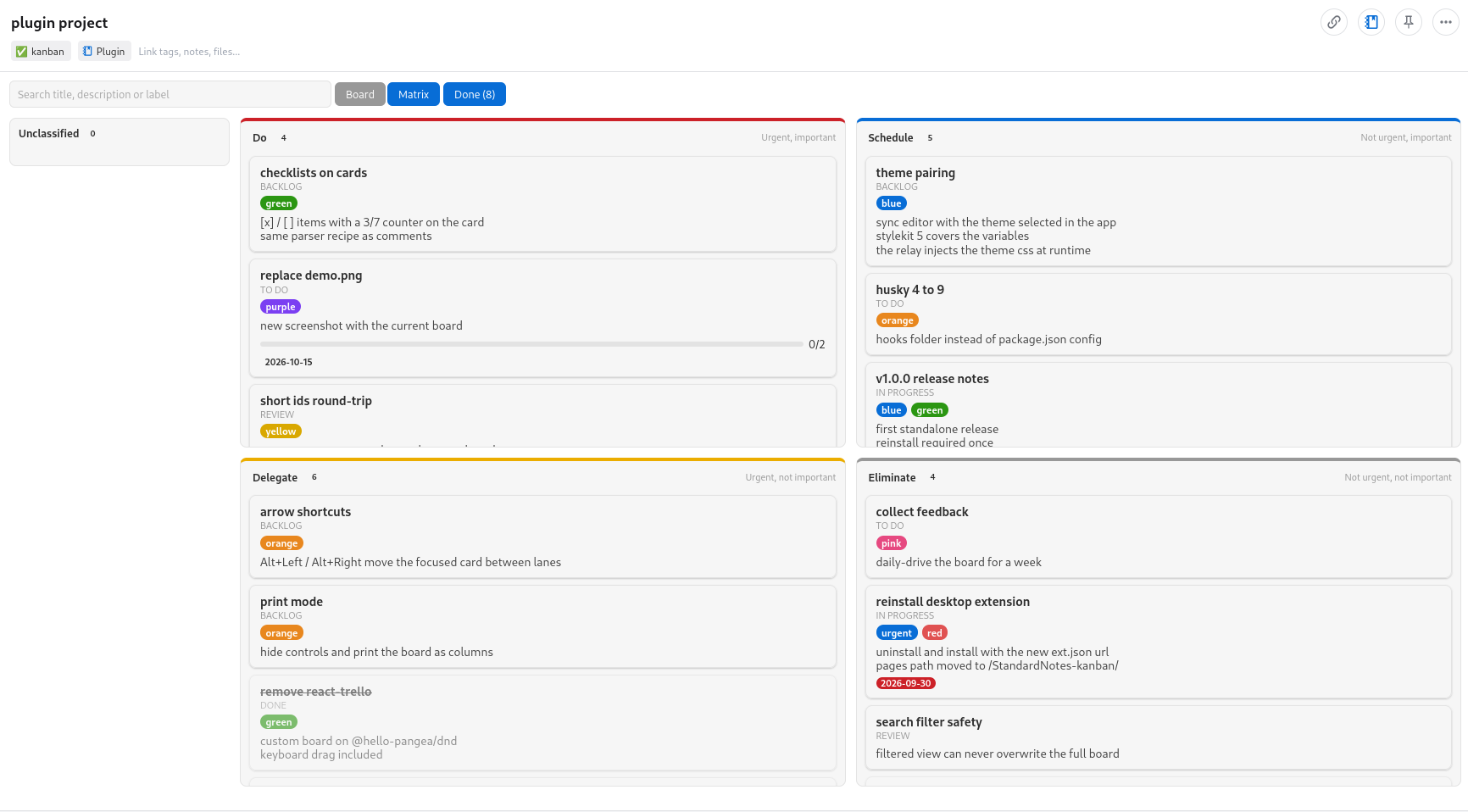
The Board | Matrix toggle switches to an Eisenhower matrix: the same cards sorted into Do, Schedule, Delegate and Eliminate, plus an Unclassified list. Drag cards between quadrants or pick one in the card modal, and rename a quadrant by clicking its title. The chosen view is remembered per note on each device, and on a phone each section can be folded from its heading.
The Export menu takes the board out of the note: copy or download everything as JSON, or one row per card as CSV.
The board is just Markdown
The body of the note is plain Markdown: one # per column, one * per card, indented bullets for the fields.
# To Do
* Write the report [id:a3f9k2]
  * Description: Q4 numbers, then review with the team
  * Due: 2026-09-30
  * Label: work, blue
  * Quadrant: do
  * Checklist:
    [x] first draft
    [ ] review with the team
* Call the bank

# Done [done]
* Book the flights
The Quadrant field places the card in the matrix with a fixed key (do, schedule, delegate or eliminate), so renaming a quadrant never rewrites the cards, and [done] after a column title marks the done lane. Renamed quadrants are kept in an optional Quadrants: line before the first column.
That has two practical consequences. Any other editor can read and change the board without breaking it, and the note stays useful if you ever drop the plugin. And lines the parser does not understand are kept as they are and flagged in a banner at the top of the board, instead of vanishing. The [id:xxxxxx] markers are managed by the editor and recreated when missing. Notes saved by the first release, in JSON, are converted to Markdown on the first edit.
Installation
-
In Standard Notes (web or desktop), open Preferences, then Plugins.
-
At the bottom of the page, paste the URL below into Install Custom Plugin:
https://esli.cafe/StandardNotes-kanban/ext.json -
Create a note, open the Editor menu and pick Kanban.
The editor sends nothing anywhere. Everything stays in the note, encrypted with the rest of your data.
The current version is v1.6.0, AGPL-3.0 licensed. The code is at github.com/Esl1h/StandardNotes-kanban.