Also available in Portuguese: Qobuz no Linux.
On Android I use the native Qobuz app and, every now and then, USB Audio Player PRO and HiBy Music (that one is rare, a test that stayed installed and a wishlist of their devices), both logged into the same Qobuz account, each with its own equalizer and direct access to the DAC, bypassing the Android mixer. I wrote about that arrangement in Transform Old Smartphone in a Digital Audio Player (DAP), and the rest of the gear is in My Music Setup.
I use it both on the 2019 phone (the subject of that article about turning a phone into a dedicated DAP), retired and SIM-less, with the iFi Go Link, and on my daily driver.
For my Thinkpad laptop running Arch (Omarchy), another PC with EndeavourOS (Arch again) and a desktop with Fedora 44, 64 GB of RAM and an SSL2+ interface, what I get is… a browser tab.
That bothers me more than it should.
Qobuz has never shipped an official Linux client. There are apps for Windows, macOS, Android, iOS, smart TVs and integrations with half a dozen hardware manufacturers. For Linux there is play.qobuz.com and your own creativity. This article is about how far creativity gets you.
The problem is not (entirely) Qobuz
Before comparing browser vs Wine, it is worth agreeing on what is being measured. “Quality” here is not subjective: it is what leaves the server, what reaches the DAC and how much is lost along the way, from Linux to your ears.
A 24-bit / 192 kHz stream that goes through a resampler down to 48 kHz is still a 192 kHz file at the source, but it becomes a 48 kHz signal at the converter. You pay for the Studio plan to burn bandwidth and CPU, and nothing else.
Using YouTube Music (the worst quality) obviously makes good gear and good settings pointless. Same for listening on Spotify without setting it to the best quality (“Very High” under “Audio Quality”). With Qobuz the goal is to get close to the quality you are offered (and paying for), matched to the gear you actually have.
On Linux there are three points where the chain can break:
- The application, which may decode and resample on its own.
- The sound server (PipeWire, or PulseAudio on older setups), which runs at a fixed rate and converts anything that does not match.
- The ALSA device you pick, because
plughw:converts silently andhw:does not.
Those three are on my side of the fence, and all three have a fix. But it would be dishonest to stop here and pretend Qobuz carries no blame: the three only become my problem because there is no official Linux client. On every other platform the app is what handles this, negotiating the rate with the system and handing the stream to the hardware with nothing in between. On Linux that work has been outsourced to the subscriber, and the rest of this article is precisely the cost of that outsourcing: a compatibility layer, API credentials scraped out of a JavaScript bundle, third-party clients maintained by volunteers.
It is not a lack of demand, and it is not a technical limitation. The catalogue is already served over HTTP to anything that knows how to ask.
Option 1: the web player in a browser
The Qobuz catalogue serves FLAC from 16/44.1 up to 24/192 depending on your plan, and the web player at play.qobuz.com reaches that same catalogue. The limit is not what the server sends, it is what the browser does with what it receives.
Browsers route audio through the WebAudio API and the system mixer, which runs at a fixed rate, usually 48 kHz. A 192 kHz FLAC is decoded correctly and then resampled to fit the graph. There is no exclusive mode, no passthrough, no per-track rate negotiation. The QBZ project itself, an alternative native client, documents this in its FAQ as its very reason to exist.
Does the browser make any difference?
No.
| Browser | Engine | Behaviour |
|---|---|---|
| Chrome / Chromium | Blink | Outputs at the graph’s fixed rate, typically 48 kHz. Broadest MSE and codec support, and the combination Qobuz actually tests |
| Brave / Vivaldi / Edge / Opera | Blink | Same engine, same audio pipeline. The differences are tracker blocking and telemetry |
| Firefox | Gecko | Also capped at the device’s preferred rate. Bug 1400731 was opened in 2017 with Qobuz as the test case, and it has aged well, in the bad sense |
| Safari | WebKit | Irrelevant here, unless you keep a Mac around |
Pick a browser for privacy, RAM usage or personal taste. For audio there is no difference, it is irrelevant and useless.
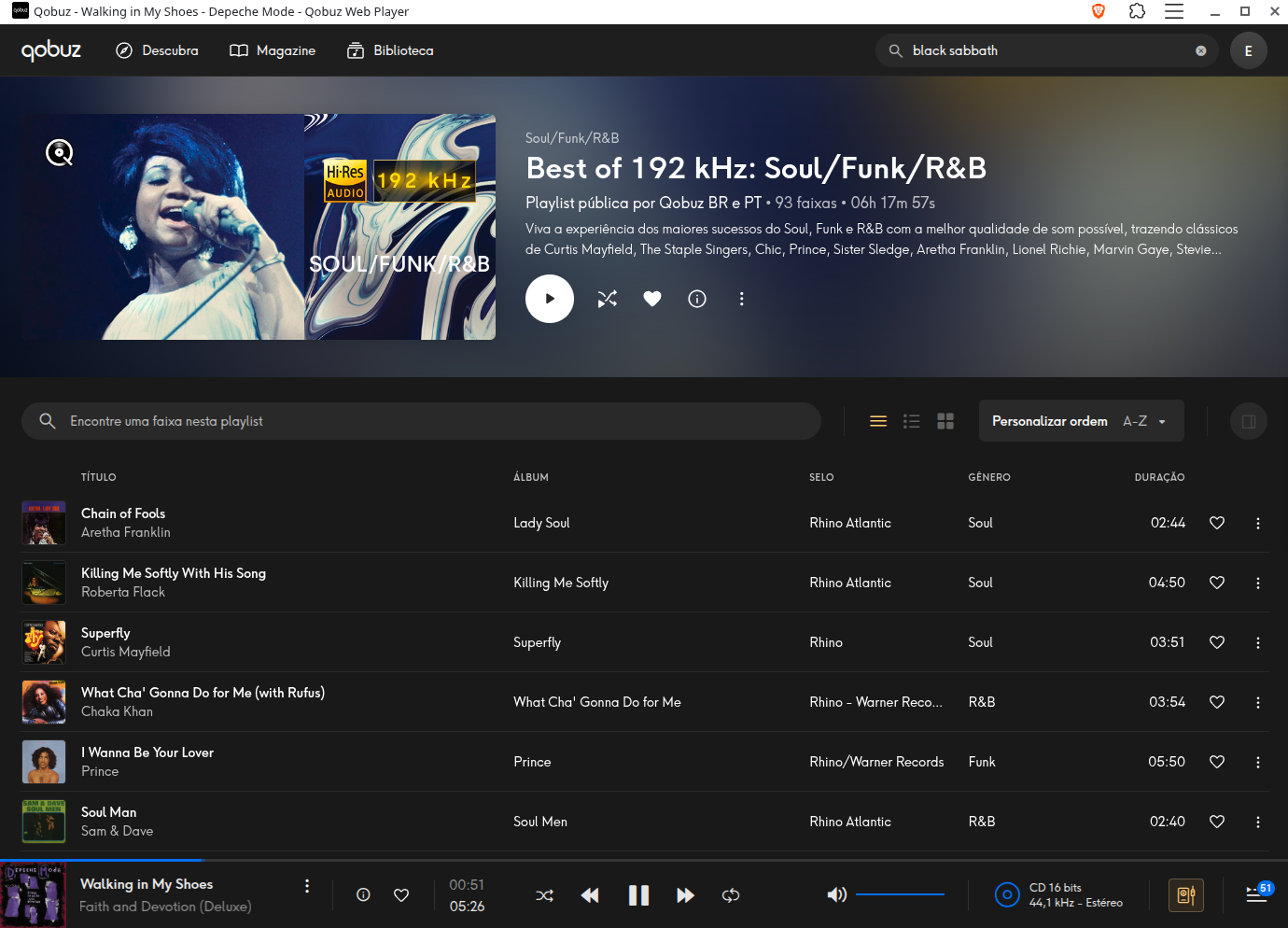
Installing the web player as a PWA (Install page as app in Chromium) improves the experience: no address bar, its own icon and window, MPRIS integration in some cases.
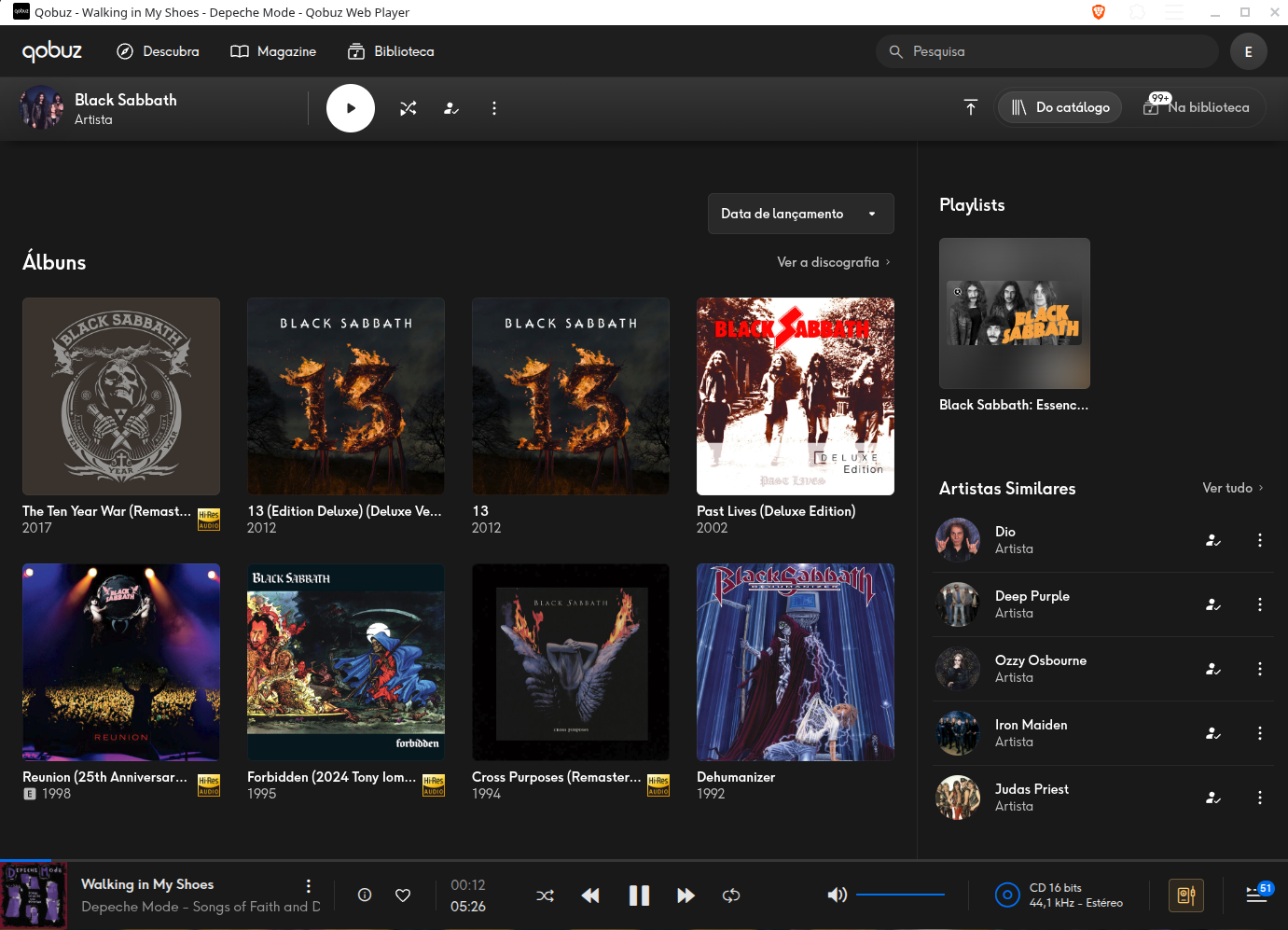
Look at the bottom right: that quality badge is the only hint the web player gives you about what is coming out. It describes the track, not what the DAC received.
How to stop arguing and start measuring
Play a Hi-Res track and ask the kernel what is actually happening:
# find your DAC's card
cat /proc/asound/cards

# with the track playing, see what the hardware got
cat /proc/asound/card*/pcm0p/sub0/hw_params
Typical output with the browser playing a 24/96 FLAC:
access: MMAP_INTERLEAVED
format: S32_LE
subformat: STD
channels: 2
rate: 48000 (48000/1)
period_size: 1024
buffer_size: 8192
rate: 48000 on a 96 kHz track settles the debate. To complement it:
pw-metadata -n settings | grep clock   # graph rate and allowed rates
pw-top                                  # per-node rate, in real time
wpctl status                            # active devices and nodes
Where the browser is a perfectly reasonable choice: discovering music, reading the Qobuz editorial (which is good), building playlists, listening on the laptop while working. CD quality run through a decent resampler still sounds far above any lossy platform. The web player is only bad for the audiophile, not for the human being. It is imperceptible unless the rest of your setup has no other weak spots.
Option 2: the Windows app via Wine, Bottles or CrossOver
The official installer is Electron. Which means you are going to run Chromium packaged inside a compatibility layer, on top of Linux, in order to escape Chromium’s audio limitations. Ironic.
What saves the manoeuvre is that the Windows app speaks WASAPI, exclusive mode included. And Wine knows how to map WASAPI onto ALSA.
The path of least effort is Bottles: create an Application bottle, run the installer, done. There are consistent reports of success in a few clicks. The annoying part: Bottles runs as a Flatpak, and the sandbox complicates direct ALSA access. You get the app and lose exactly the reason you went after the app.
For real bit-perfect the reference material is the Qobuz-wine-guide, which uses wine-staging with the sound backend set to ALSA (not PulseAudio), a launcher that can optionally start the app outside PipeWire in exclusive mode, and some sound server tuning.
CrossOver is the same Wine with commercial support and ready-made profiles. If you already pay for it, give it a try. If you do not, you are not going to start paying because of this.
Measuring the app under CrossOver, without exclusive WASAPI
I installed the official app (version 8.2.0-b033, Electron) in a CrossOver bottle and measured the whole chain on Fedora 44 with PipeWire 1.6.8 and the SSL2+ Mk II. The result: I needed neither exclusive mode nor Wine’s ALSA backend. The default path, winepulse.drv talking to PipeWire, already delivers the track’s native rate to the hardware.
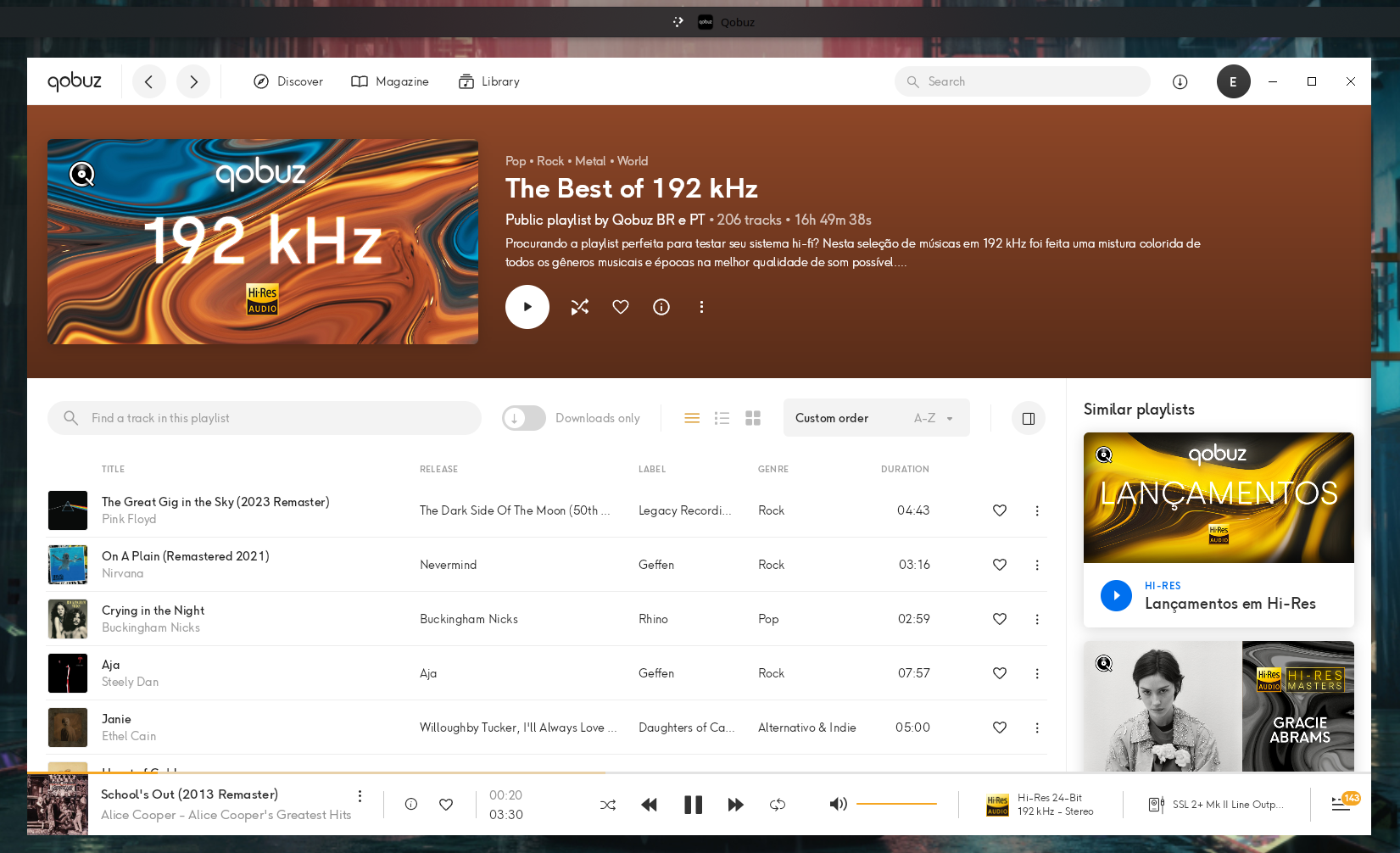
The Hi-Res 24-Bit 192 kHz badge next to the SSL 2+ Mk II Line Output device is what the app claims to be doing. The /proc output below is what confirms it.
The first step is confirming there is no DSP in the path. The graph has to go from the app to the hardware in a straight line:
pw-dump | jq -r '.[] | select(.type=="PipeWire:Interface:Link") |
  "\(.info."output-node-id") -> \(.info."input-node-id")"'
pgrep -a easyeffects
In my case the path was Qobuz (141) -> Line1 sink (64) -> split (63) -> alsa_output.hw_II_0 (59), with no Audio/Filter node in between. The split nodes are the SSL2+ UCM separating Line 1/2 from Line 3/4, channel routing, not processing.
Then identify the app’s stream and check what format it leaves Wine in:
pactl list sink-inputs | grep -EA2 'application.name = "Qobuz"'
pactl list sink-inputs | grep -E 'Sample Specification|Resample method|Volume:'
With a 24/96 playlist playing:
Sample Specification: float32le 2ch 96000Hz
Volume: front-left: 65536 / 100% / 0.00 dB
And what actually matters, what the kernel handed to USB:
cat /proc/asound/card2/pcm0p/sub0/hw_params
grep -E 'Status|Momentary' /proc/asound/card2/stream0
format: S32_LE
rate: 96000 (96000/1) Status: Running
Momentary freq = 96000 Hz (0xc.0000)Switching to a 192 kHz playlist and running the same commands, without touching anything:
format: S32_LE
rate: 192000 (192000/1)
period_size: 512
Momentary freq = 192000 Hz (0x18.0000)That is the proof, and it is worth understanding why it is conclusive. My default.clock.rate is 48000. The hardware only leaves that value if something asks for another rate and the graph agrees to renegotiate, which only happens because default.clock.allowed-rates includes 88200, 96000, 176400 and 192000. If Wine were resampling to a fixed mix format, hw_params would stay pinned at 48000 regardless of the track. It followed 96 and then 192 kHz, so there is no rate conversion anywhere in the chain.
To watch the switch happen live while skipping between tracks of different rates:
watch -n1 'grep rate /proc/asound/card2/pcm0p/sub0/hw_params'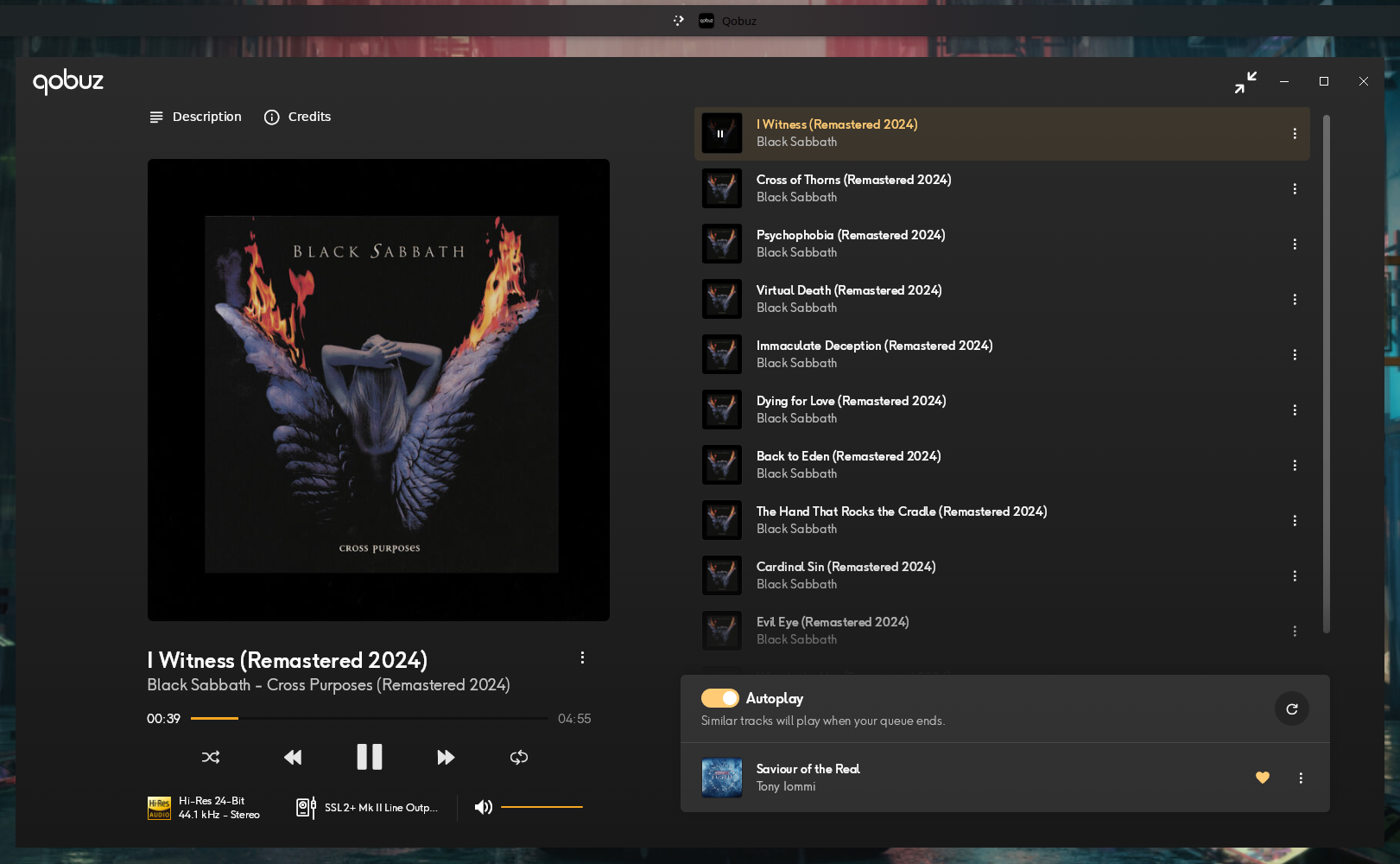
About bit depth: the stream leaves Wine as float32, PipeWire carries float32 and ALSA delivers S32_LE. With the volume at 100% / 0.00 dB on the sink input, on the sink (wpctl get-volume @DEFAULT_AUDIO_SINK@ returning 1.00) and in the app itself, there is no floating-point attenuation, and the conversion from 24-bit to float32 and back to S32_LE is exact. Formally this is not bit-perfect in the strict, exclusive-mode sense, since the bus is float. In practice float32’s 24-bit mantissa carries the content losslessly at unity gain. Any volume below 100% at any of those three points breaks the argument.
Check the health of the stream too, because the right rate with an xrun every two seconds is not a win:
pw-top -b -n 3
journalctl --user -u pipewire -u wireplumber --since "30 min ago" | grep -Ei 'xrun|underrun'
The ERR column in pw-top should stay at zero. In my case the driver ran with WAIT 30.5us against BUSY 4.6us at a quantum of 512, comfortable headroom.
One detail: pactl list sinks reports Sample Specification: float32le 2ch 48000Hz even with the hardware at 192 kHz. That is the PulseAudio compatibility layer showing the graph’s format, not the device’s. Ignore it and look at hw_params.
Two bottle settings are worth recording, because they affect the result. In ~/.cxoffice/Qobuz_Installer/drive_c/users/crossover/AppData/Roaming/Qobuz/settings-*.json, the currentDevice field was empty, meaning shared WASAPI with no exclusive device selected. And downloadQuality was 7, which in the Qobuz scheme caps at 24/96 (the 24/192 tier is 27). That field governs downloads and imports, not streaming, but if the app looks stuck at 96 kHz it is the first place to look.
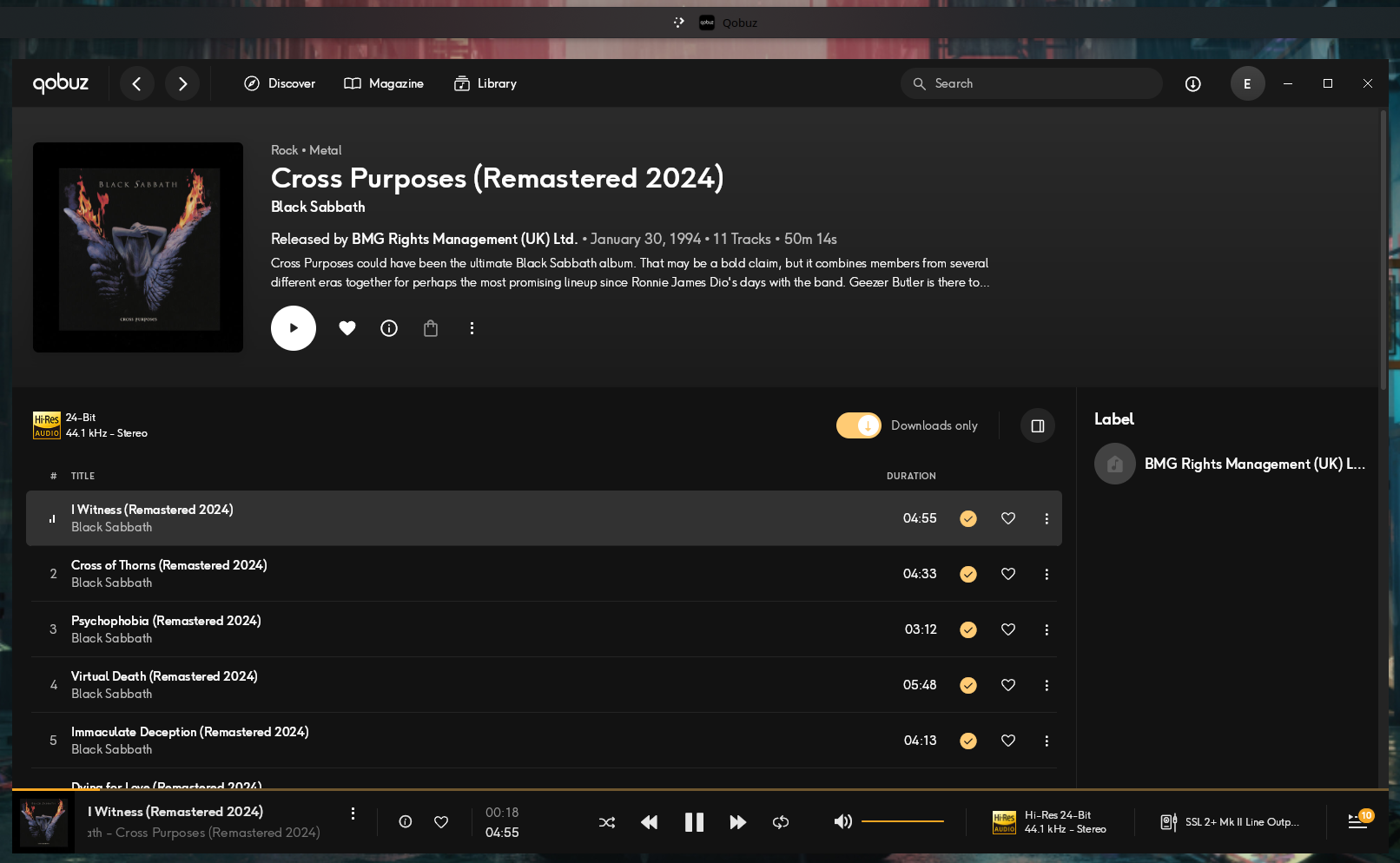
As a bonus, the official app is the only path on this list that gives you the subscription’s offline downloads, with the Downloads only filter working normally inside the bottle.
Verdict: yes, it works. Run the official app under Wine, and the default PipeWire path is enough as long as allowed-rates is configured. The wine-staging juggling with an ALSA backend and exclusive mode solves a problem modern PipeWire no longer has.
Option 3: Strawberry
Strawberry is the player I already use for my local collection. It is Qt, has a GStreamer backend with direct ALSA output, and ships native Qobuz support. It is the most elegant option in theory and the most annoying to configure in practice.
The reason: Qobuz does not hand out API credentials to third-party clients. You have to supply an App ID and an App Secret that the web player itself uses, extracted from its JavaScript bundle.
Extracting the credentials
pipx install qobuz-dl

python - <<'EOF'
from qobuz_dl.bundle import Bundle
b = Bundle()
print("app_id:", b.get_app_id())
for k, v in b.get_secrets().items():
    print("secret:", k, v)
EOF
Out comes one app_id and several secrets. There is no documented way to tell which one works, so you will have to try them one by one until you hit the right one.
Configuring
Under Settings > Qobuz:
- tick
Enable Qobuz App IDandApp Secretas extracted- your account username and password
Preferred audio format: pick the top tier (24-bit / 192 kHz) and let the server negotiate down when a track does not have it- adjust the search limits, the default is low and makes it look like your library vanished
Under Settings > Backend:
Output:alsasinkDevice: your DAC’shw:, neverplughw:(plughwconverts silently, which is precisely what we are trying to avoid)- disable fading, replaygain and the equalizer if the goal is bit-perfect
With everything in place, Qobuz becomes just another source in the sidebar, next to Library, Files and Radios:
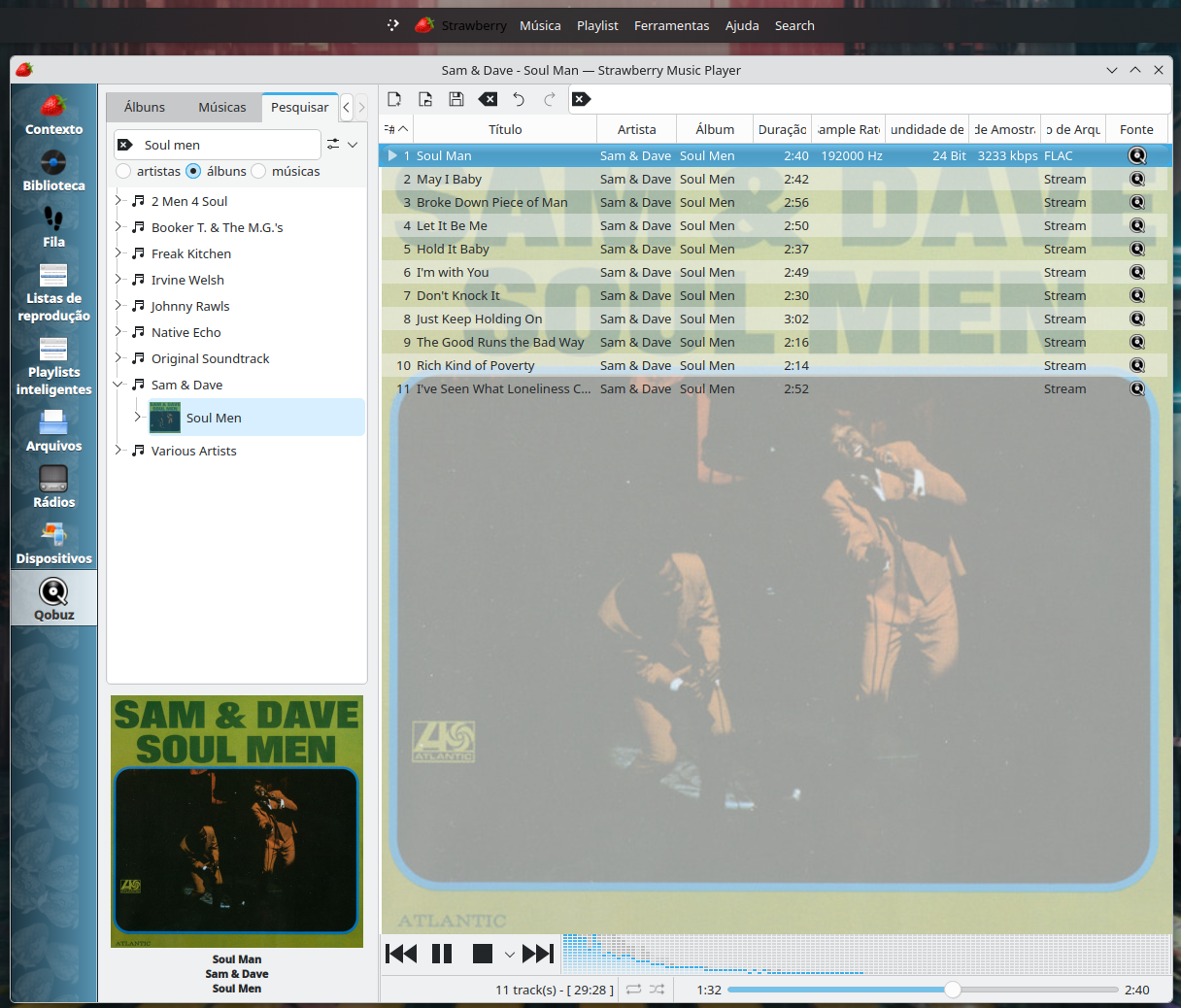
The Sample Rate, Bit Depth and Source columns are the reason to use Strawberry: 192000 Hz, 24 Bit, FLAC and Stream on the same row, without having to open /proc.
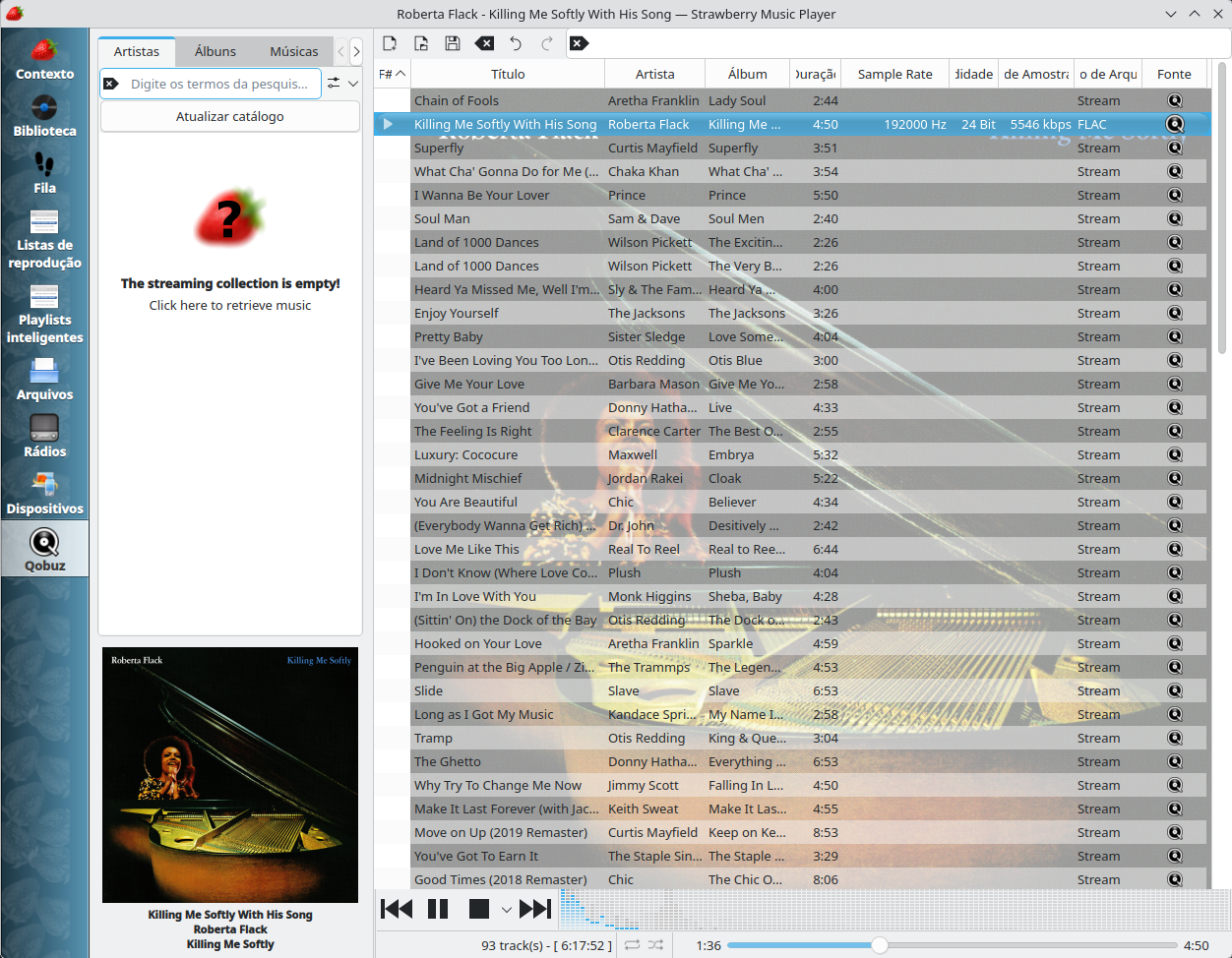
The error you will hit
Invalid Request Signature parameter (request_sig) (400)Search works, playback does not. It means the secret you picked is not accepted to sign the stream request. Go back, swap the secret, repeat. This is not a Strawberry bug, and with the right secret everything works.
The one gap is that Strawberry does not fetch playlists, but I solved that with a script that downloads all of mine as .xspf (maybe a second article just about that, but it is already versioned in my dotfiles repo).
Option 4: alternative and native clients
QBZ
QBZ (https://qbz.lol/) is a native Qobuz client for Linux written in Rust, MIT licensed, no telemetry, and in version 2.0 it dropped webview and IPC: a single process with a Slint UI. Backends for PipeWire, ALSA (including a Direct hw: bypass mode), PulseAudio and JACK, with passthrough to the DAC and per-track sample rate switching, from 44.1 up to 192 kHz.
It also has DSD with DoP and native passthrough, gapless, MPRIS, scrobbling to Last.fm and ListenBrainz, Chromecast and DLNA, plus a hardware configuration wizard.
Installation:
# Arch
yay -S qbz-bin

# Fedora / openSUSE (glibc 2.39+)
sudo dnf install ./qbz-*.rpm     # grab the RPM at github.com/vicrodh/qbz/releases

# Flatpak
flatpak install flathub com.blitzfc.qbz
Relevant warning: do not go with the Flatpak. Its sandbox limits interaction with the hardware.
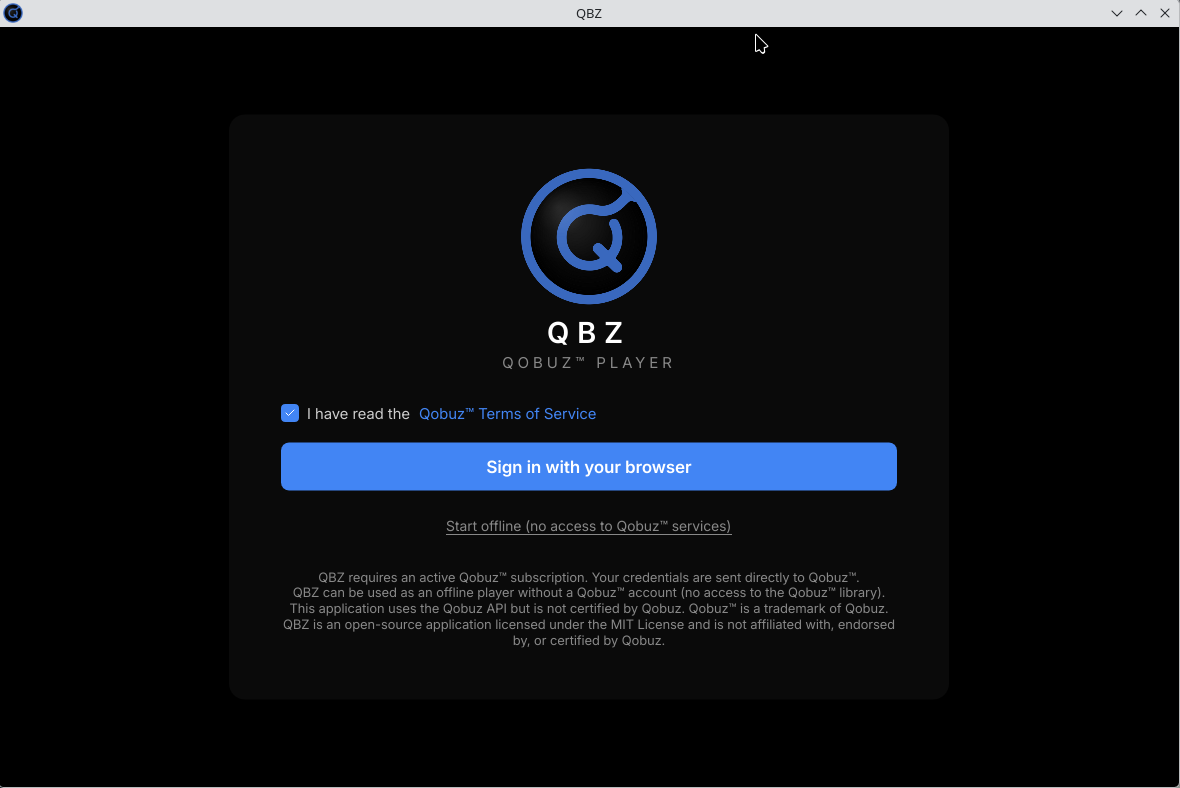
Login is OAuth through the browser, with no password typed inside the app, and there is an offline mode for anyone who only wants to play their local collection:
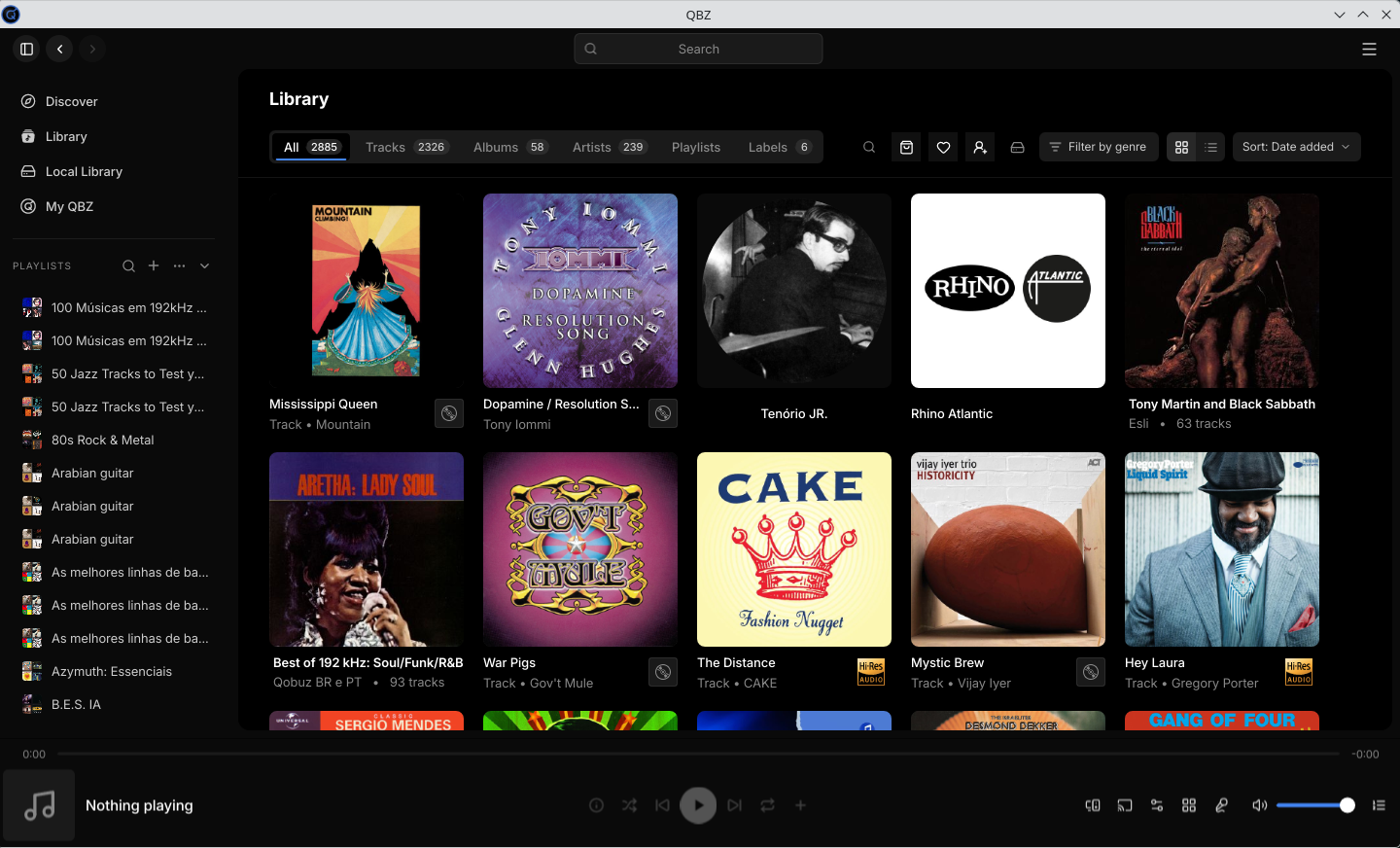
After logging in the whole library shows up, favourites and playlists included, with per-type counters:
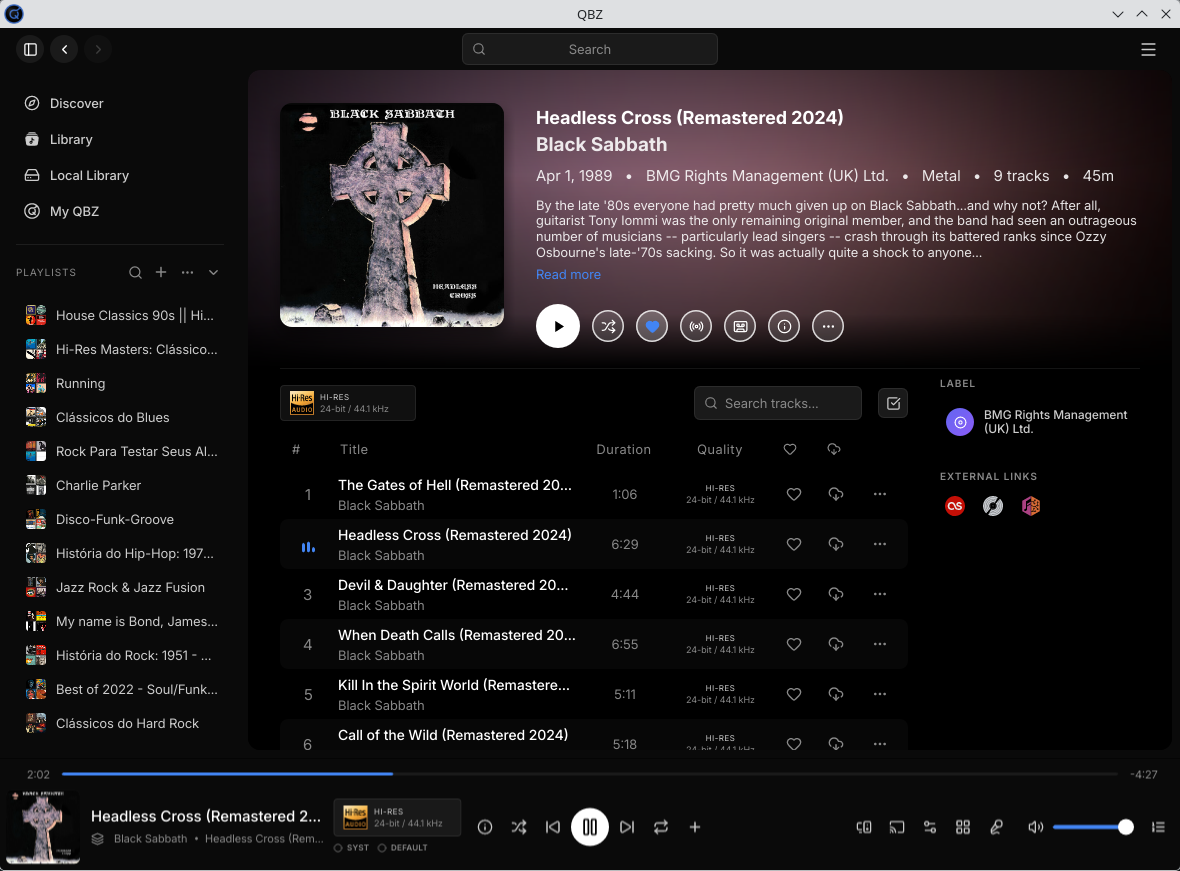
The album page has a per-track Quality column, which spares you the surprise of finding out mid-listen that this particular record is only CD quality:
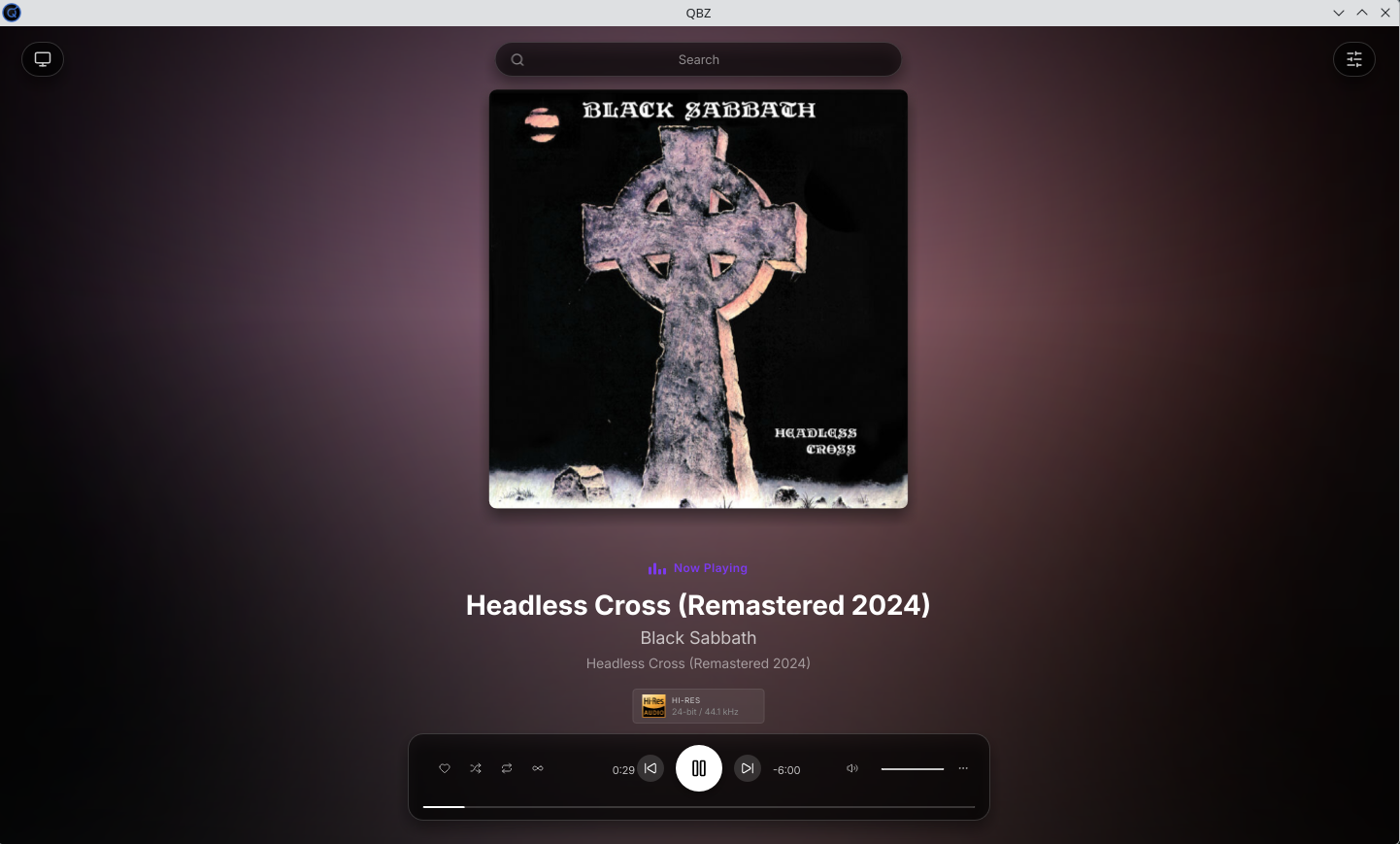
And there is a full-screen mode, for when the laptop becomes the stereo:
An interesting detail for anyone with a spare Pi or mini PC: the project ships qbzd, a headless daemon that turns the machine into a Qobuz Connect endpoint, showing up in the official apps as if it were a hardware streamer. There is a containerised fork for people who prefer Docker or LXC on Proxmox. That covers the “Qobuz Connect on Linux” scenario.
Qobine, formerly qobuz-player
SofusA/qobuz-player is now SofusA/qobine
It started as a fork of hifi.rs and diverged quite a bit. Today it is a Rust monorepo, GPL-3.0, bundling a TUI, a GTK player for GNOME, a web server with its own UI, an RFID player and experimental Qobuz Connect. It supports up to 24-bit / 192 kHz, MPRIS (control it with playerctl or any D-Bus client) and gapless.
The RFID mode is the fun part: tap a card, the album plays. A homemade jukebox for anyone who misses having a physical object and does not want to go back to cleaning a turntable stylus. The original hifi.rs has been stalled since 2024.
Option 5: treat Qobuz as a network source
Lyrion Music Server + squeezelite
The old Logitech Media Server became Lyrion. The server runs in Docker, squeezelite runs on the host that has the DAC and talks straight to ALSA, supporting 44.1 up to 384 kHz plus multiroom sync.
docker run -d --name lyrion \
  -p 9000:9000 -p 3483:3483 -p 3483:3483/udp \
  -v lms-config:/config -v /srv/music:/music \
  lmscommunity/lyrionmusicserver:latest

# on the host with the DAC
sudo dnf install squeezelite
squeezelite -l                          # list the devices
squeezelite -o hw:2,0 -n "living-room-fedora"
Then, under Settings > Plugins, install the Qobuz plugin and log in.
upmpdcli
An MPD-based UPnP renderer with a media server module for Qobuz. It is the right route for anyone who controls everything through BubbleUPnP.
Music Assistant
If you already run Home Assistant, Music Assistant has a Qobuz provider with the Hi-Res catalogue, automatically picking the best available quality and syncing favourites both ways. It plays to Chromecast, Sonos, AirPlay and friends.
What about the equalizer?
On Android I have EQ inside the player itself, without leaving the bit chain, because UAPP and HiBy process before handing anything to the DAC. On Linux the route is EasyEffects on top of PipeWire, which accepts AutoEQ profiles for known IEMs and headphones.
EQ is processing, and processing happens in float, which requires conversion. I do not use it and do not miss it outside the phone.
Comparison
| Path | Real Hi-Res | Bit-perfect | Effort | Stability |
|---|---|---|---|---|
| Web player (any browser) | Receives up to 24/192 | No, resamples to the graph’s rate | Zero | High |
| Windows app via Wine/CrossOver | Yes, measured at 24/96 and 24/192 | Yes, with shared WASAPI and PipeWire allowed-rates | Medium | Medium, depends on Wine and the Electron updater |
| Strawberry | Yes | Yes, with alsasink + hw: | Medium, the credentials are a pain | Medium, depends on the API not changing |
| QBZ | Yes | Yes, PipeWire or ALSA Direct | Low | Good, actively developed |
| Qobine (formerly qobuz-player) | Yes | Yes, via GStreamer/ALSA | Low | Good, smaller scope |
| Lyrion + squeezelite | Yes | Yes | Medium | High |
| upmpdcli | Yes | Yes | Medium | Depends on the version, keep it updated |
| Music Assistant | Yes | Depends on the endpoint | Low if you already run HA | High |
What I actually use
Fedora 44 desktop with KDE, output through the SSL2+ or over TOSLink to the Edifier. Strawberry.
Arch laptop with Hyprland, Fosi K5 Pro DAC: Strawberry.
The PWA in the browser (Brave), for browsing the interface, discovering albums and playlists, reading the editorial… No guilt, and no pretending to be an audiophile.
In all of the above I can control the player from my phone with KDE Connect or with the native app (currently the Qobuz Beta).
The installer failed to run under plain Wine, but installed without a fight under CrossOver, so I did not bother troubleshooting the Wine path (I do not want to use it that way anyway)… QBZ is excellent, a great middle ground between Strawberry and the PWA.
By the way, I am on Qobuz Club at https://club.qobuz.com/u/7ee25f7b
And my playlists are public over there too.