This is the English version of a series written in Portuguese, condensed into one article. The original starts here and runs to eight parts, all listed under the adsb tag.
I live under one of the busiest approach paths in Latin America. When the wind shifts and Guarulhos reverses its approach, I know before the tower does, by the sound of the engines. For years that was filed under the disadvantages of the property.
Then I realised something. Every one of those aircraft is continuously broadcasting its identity, position, altitude and speed, in the clear, on 1090 MHz, to anyone with an antenna. I work in infrastructure, which means I spend my days looking at dashboards measuring somebody else’s machines. The idea of generating my own data, from the physical world, was too good to pass up.
This is the short version of a series I wrote in Portuguese over eight articles. It ends with a tool, because getting there on Arch Linux turned out to require one.
The tool is at github.com/Esl1h/easy1090, MIT licensed.
Why aircraft are the perfect first target
ADS-B stands for Automatic Dependent Surveillance Broadcast. Every modern aircraft transmits a 112 bit frame roughly twice a second, containing a unique 24 bit ICAO address, a callsign, position, altitude, ground speed and vertical rate.
The frame has no authentication of any kind. There is no signature, no encryption, no challenge. The 24 bit CRC at the end tells you whether the message survived the air, not whether the aircraft told the truth. A protocol designed at MIT Lincoln Laboratory in the 1970s, running at 1 Mbps, on a shared channel, with the transport philosophy of UDP broadcast taken to its logical extreme: no ACK, no retransmission, no flow control.
That is uncomfortable if you think about security, and it is exactly what makes the hobby possible. Nothing is being broken into. The signal arrives at your window whether you listen or not.
The frame itself is worth a close look, because it is beautifully small. Here is a real one, as your decoder hands it to you:
8D4840D6202CC371C32CE0576098Twenty-eight hexadecimal characters, which is 112 bits, which is 14 bytes. They break down like this:
| Field | Size | What it is |
|---|---|---|
| DF | 5 bits | Downlink format, the message type. 17 means ADS-B Extended Squitter |
| CA | 3 bits | Capability, what this transponder can do |
| ICAO | 24 bits | The aircraft’s unique address, a MAC address that flies |
| ME | 56 bits | The payload: position, altitude, velocity or identification |
| CRC | 24 bits | The seal. If it does not add up, the receiver drops the frame |
Seven bytes of actual payload. An empty UDP header is eight. In that example, 8D gives downlink format 17, 4840D6 is the ICAO address, and the payload decodes to the callsign KLM1023.
The ICAO address is the interesting field for anyone doing infrastructure. It is permanent, assigned to the airframe rather than to the flight, and it is the primary key of the entire hobby: it is what lets you look up registration, type and operator, and what lets you follow the same physical aircraft across days and callsigns.
Add an 8 microsecond preamble of four pulses to synchronise the receiver and the whole thing occupies 120 microseconds of air, at 1 Mbps, using pulse position modulation.
Fitting a global position into 56 bits alongside altitude and status required a genuinely clever trick, called Compact Position Reporting. Instead of transmitting full latitude and longitude, the aircraft alternates between two encodings, called even and odd frames, each carrying a position relative to a grid. A receiver that has both can resolve the absolute position unambiguously. A receiver that already knows roughly where the aircraft is can resolve it from a single frame. That is why your decoder sometimes shows an aircraft with altitude and speed but no position yet: it is holding one half of a pair, waiting for the other.
The collision strategy is equally frugal. The 1090 MHz channel is shared, and it carries not only ADS-B but also transponder replies to secondary radar and to other aircraft’s collision avoidance systems. There is no coordination whatsoever. Each aircraft randomises the interval between position messages, somewhere between 0.4 and 0.6 seconds, purely so that two transmitters do not settle into lockstep. It is ALOHA, the 1970s solution, still flying.
If you want the protocol in depth, I wrote it up here, in Portuguese. And if software defined radio itself is new to you, the About RTL-SDR page is the canonical starting point: the whole hobby exists because someone noticed that a cheap DVB-T television tuner could be repurposed into a wideband receiver.
The hardware, and the one thing worth paying for
A 1090 MHz receiver costs about the same as a pizza. Search for the RTL-SDR Blog V4 and you will find a flood of near-identical listings at a third of the price. The photos are the same. The descriptions swear they are V4s. They are not.
Two chips matter. The RTL2832U does analogue to digital conversion and demodulation, and it is essentially identical across the whole family, from the cheapest clone to the official unit. The tuner is where they diverge. The V4 uses an R828D with a redesigned front end and proper filtering, which matters enormously in a city. The RF spectrum in a metropolitan area is not a quiet field, it is a crowded market: commercial FM stations transmitting with absurd power, mobile towers everywhere, all of it dumping energy into your antenna at once. A receiver without decent filtering simply chokes, and a strong signal from a local station leaks into the band you actually want as a ghost.
The other differences that never show up in a listing thumbnail: a 1 PPM TCXO, a temperature compensated oscillator, so your frequency does not drift as the dongle warms up over hours of unattended decoding; a software switchable bias tee to power a low noise amplifier at the antenna; and an integrated HF upconverter.
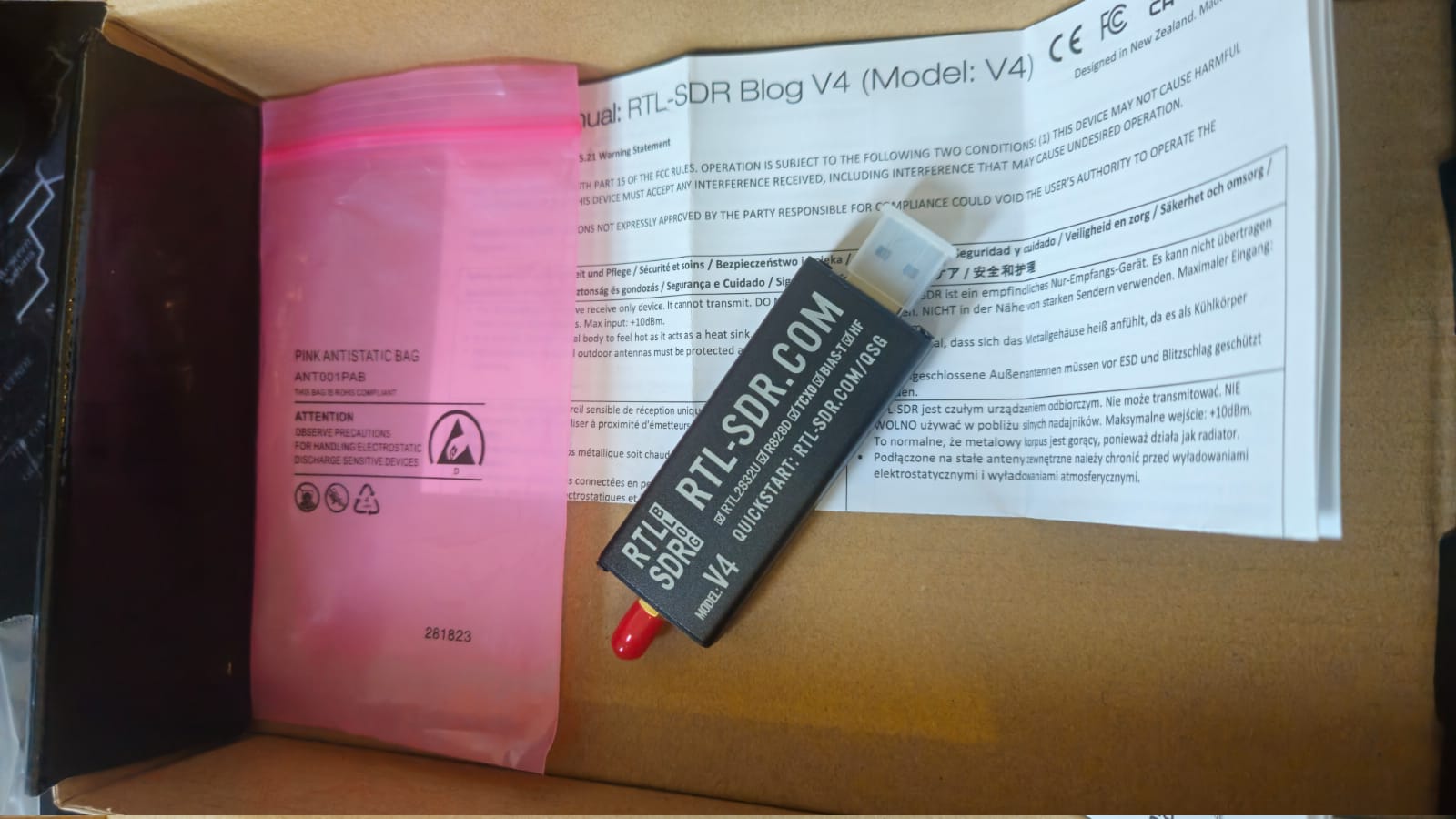
The aluminium case is not decoration either: it dissipates heat, which helps that oscillator stay stable, and it shields the circuit from external interference. Clones usually ship in plastic, or in aluminium that is purely cosmetic.
There is also an unexpected proof of authenticity. A real V4 requires the RTL-SDR Blog fork of librtlsdr and misbehaves with the standard driver most distributions ship. That installation friction is close to a certificate of originality: a clone pretending to be a V4 usually runs perfectly on the stock driver, because inside it is the same old R820T2.
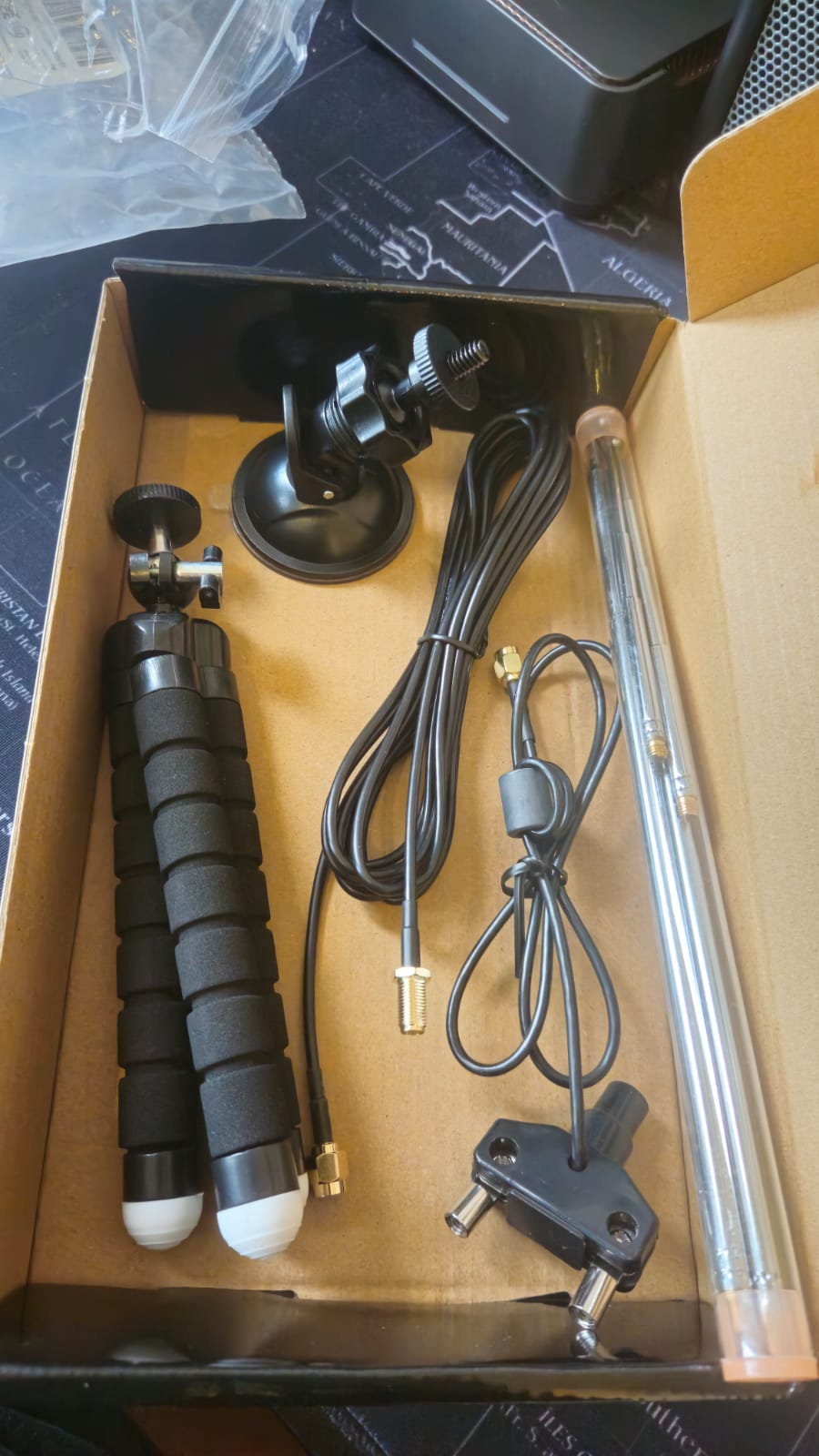
For 1090 MHz specifically, use the shortest antenna element from the kit, mounted vertically on the single stand. ADS-B is vertically polarised, the wavelength is about 27.5 cm, so a quarter wave element is roughly 6.9 cm, and reception depends on line of sight. The V shaped mount that comes in the kit is for 137 MHz weather satellites, not for aircraft near the horizon.
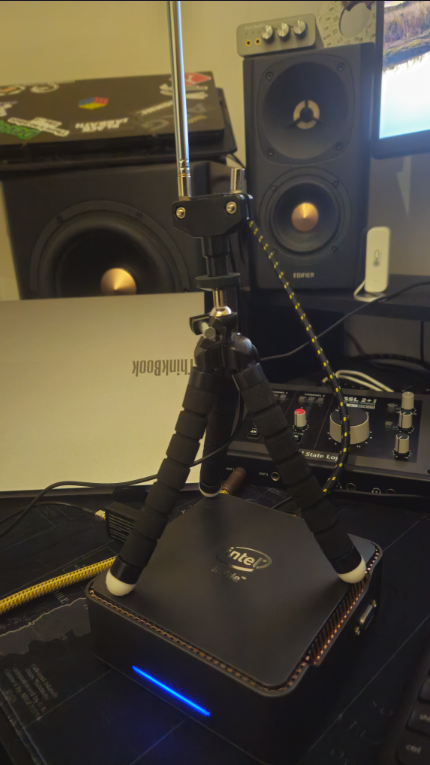
My own station, in its provisional bench version: the kit’s flexible tripod clamped onto the homelab mini PC, antenna vertical. It is not a permanent installation and it still decodes aircraft over 200 km away:
The USB port that accepted a YubiKey and rejected a radio
One debugging story from that install is worth repeating, because the lesson generalises.
On my Fedora desktop the dongle enumerated, failed to configure, disconnected, and looped, filling dmesg with error -71, the USB subsystem’s EPROTO, until the kernel gave up with its most passive-aggressive message:
usb usb1-port11: Cannot enable. Maybe the USB cable is bad?It was not the cable. It was the port, and I had not suspected it because that same port had been hosting a YubiKey for months without a single incident.
A YubiKey is a full-speed device: 12 Mbps, drawing about 30 mA. Almost any port with a marginal trace or weak power delivery will carry that happily. An RTL-SDR V4 is high-speed, 480 Mbps, drawing around 300 mA, and it exposes every electrical weakness a light device hides. The port was not good, it was good enough for cryptography and insufficient for radio.
The lesson worth taking: “it works with another device” does not validate a USB port. It validates the port for that class of device. Move to a rear port wired directly to the CPU’s own controller before you suspect the hardware or open an issue against the driver.
Details, and the two very different installation experiences I had on Arch and on Fedora, are here.
The stack
Three pieces, and each one earns its place.
readsb is the decoder, the spiritual successor to dump1090. It consumes raw I/Q samples at 1090 MHz, finds the preambles of transponder messages, decodes them, validates the CRC, and serves the result over several network interfaces. Use the wiedehopf fork, not the Mictronics one: the latter writes aircraft.pb, binary protobuf, with no flag to produce JSON, and every web frontend expects JSON. I learned that the hard way, mid project, and had to swap forks.
tar1090 is the live map, the thing that turns text streams into something a human wants to look at:
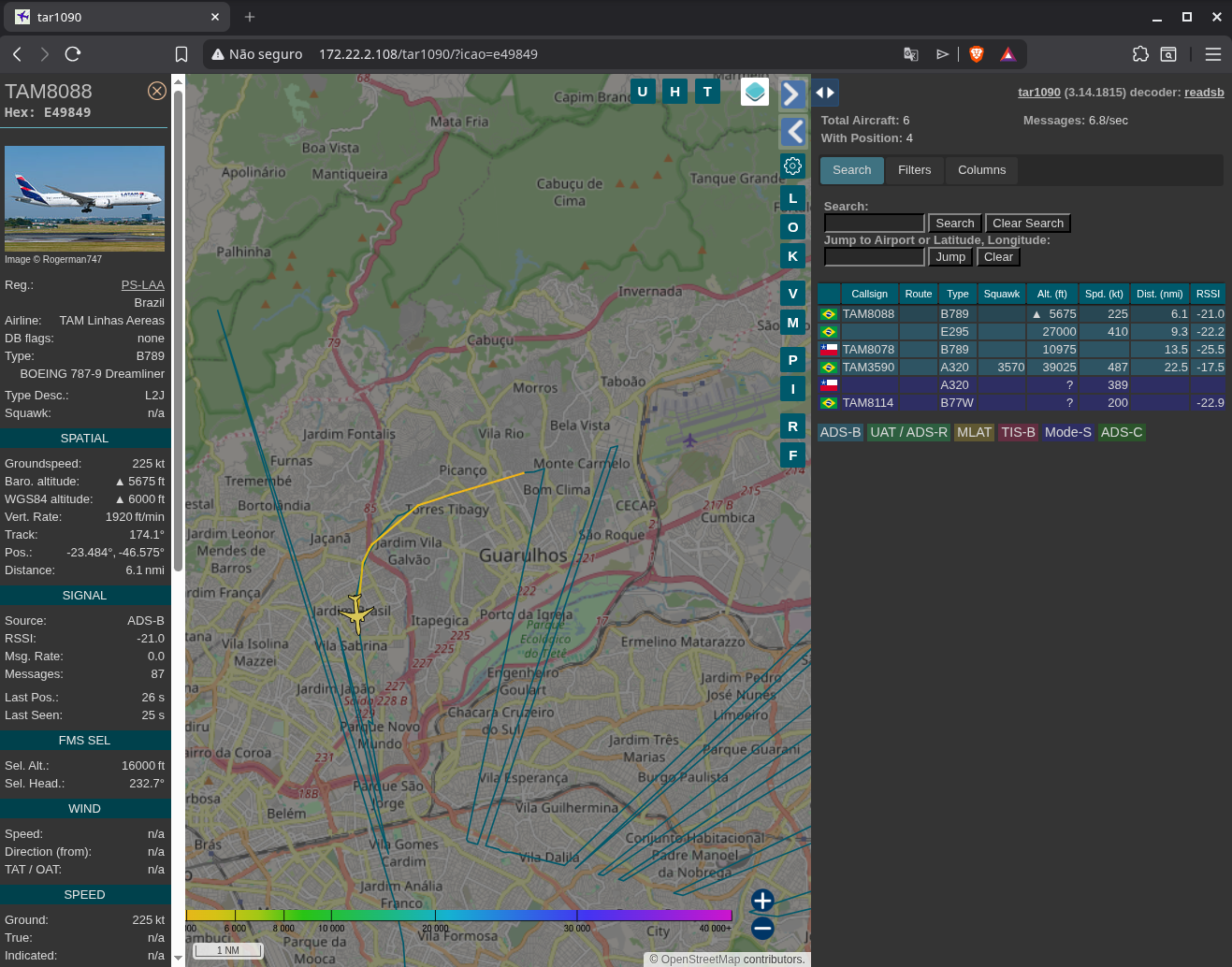
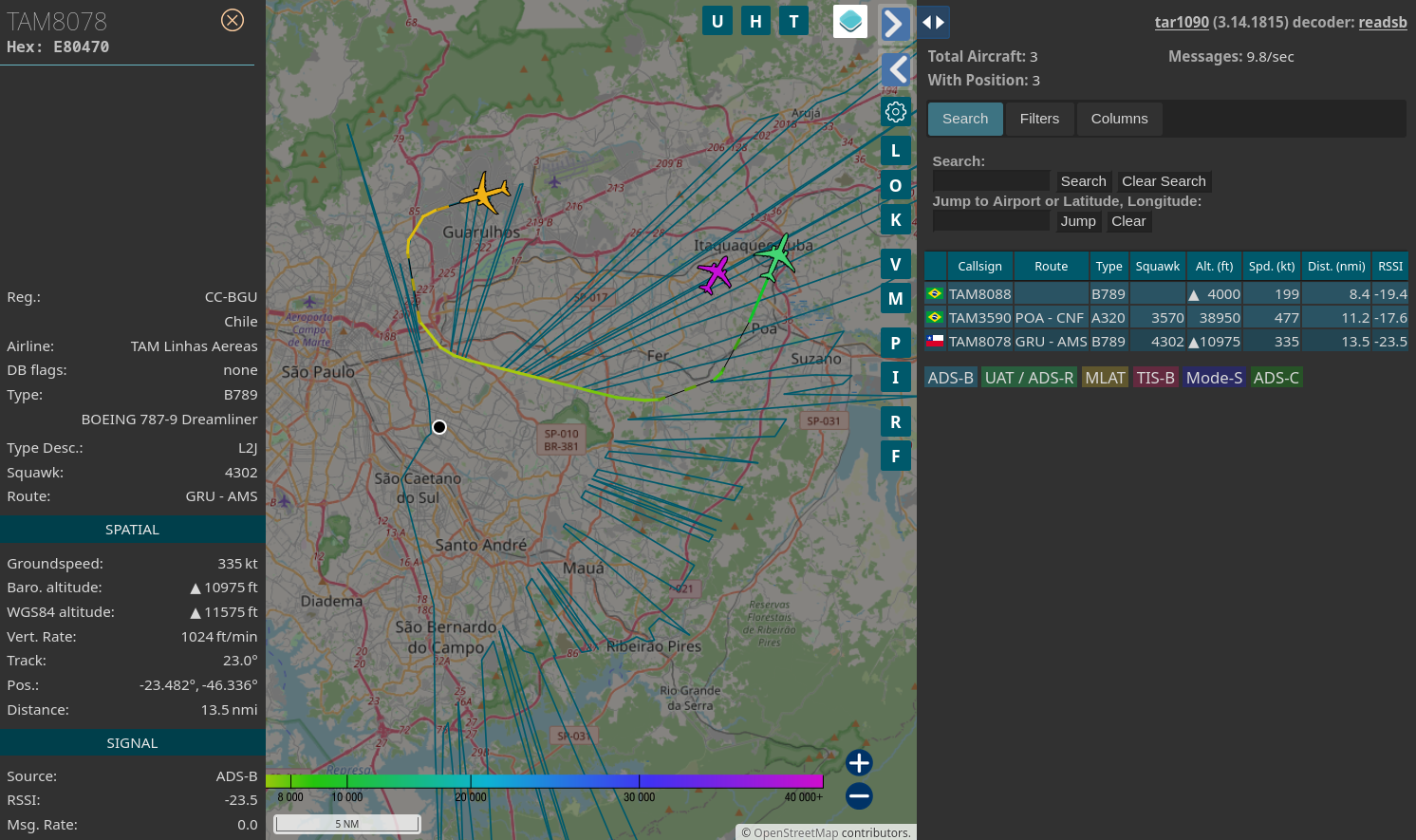
Aircraft icons sit on real positions, trails are coloured by altitude, and clicking one opens everything the transponder is sending, enriched by tar1090’s own aircraft database: registration, airline, type, route, altitude with trend, speed, track and signal strength. Here is a 787-9 leaving Guarulhos for Amsterdam:

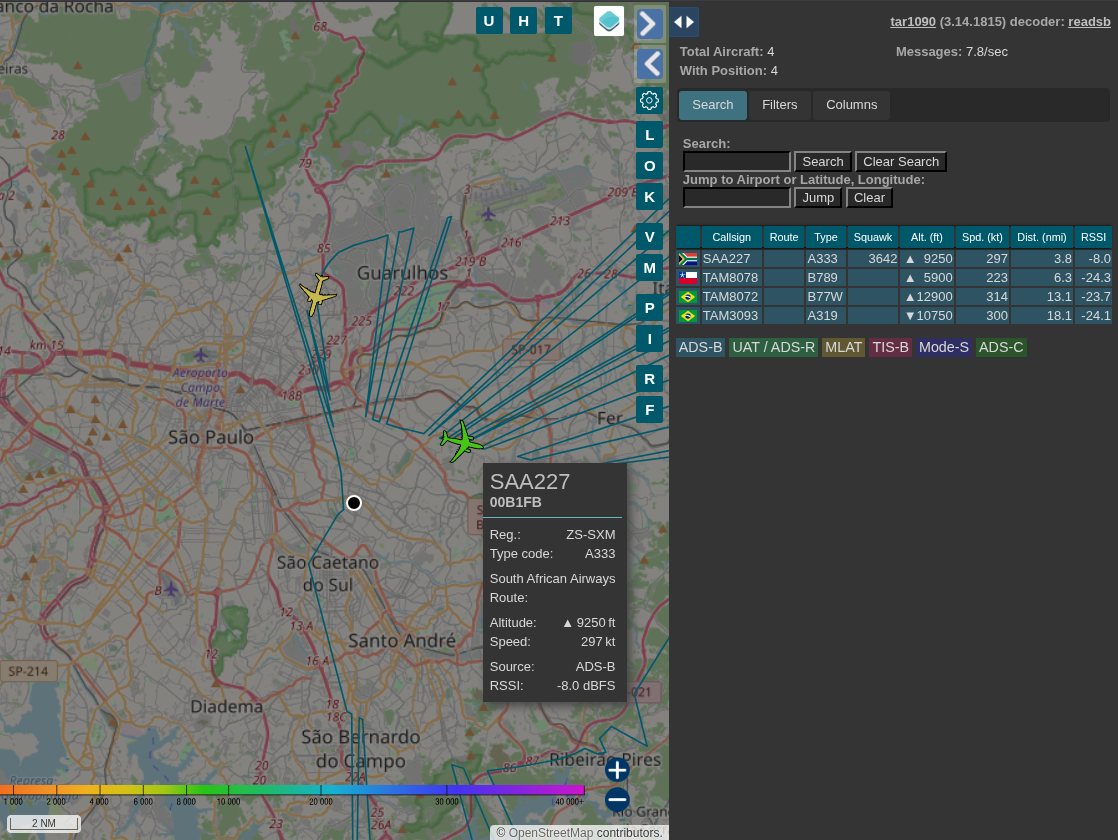
The hover tooltip answers the question that started all of this, the one you ask looking up at the sky. That is an A330 of South African Airways climbing through 9,250 feet:
lighttpd serves it.
That is the whole thing. The dongle emits I/Q samples over USB at about 4.8 MB/s, readsb turns pulses into aircraft, tar1090 draws them.
What makes readsb pleasant to build on is that it does not hide the data behind the map. It exposes the same decoded traffic through several interfaces at once, and you pick the one that fits what you are doing:
| Interface | What it gives you |
|---|---|
/run/readsb/aircraft.json | current state of every tracked aircraft, refreshed once a second |
| port 30003 | SBS/BaseStation, one CSV line per decoded message, ideal for grep and logging |
| port 30002 | raw Mode S in hex, no position decoding, for debugging the decoder itself |
| port 30005 | Beast binary, what other tools and feeders consume |
The JSON is the one that matters most, because it is what the map reads and what any script of yours should read too. Everything else is a stream you can pipe.
Where the friction lives
Here is the part nobody writes down, and the reason this article ends with a tool.
Practically every ADS-B guide in existence assumes Raspberry Pi OS or Debian. That is a reasonable assumption in market terms, since the overwhelming majority of receivers in the world are a Pi on a windowsill. It produces fragile code, and on Arch you meet all of it at once.
A sample of what I hit, each of which cost real debugging:
pacman --noconfirm answers N to the prompt that replaces a conflicting package, silently aborting the install rather than proceeding.
blacklist in modprobe.d only stops a module from autoloading at boot. On hotplug, udev asks for it by alias and the kernel hands it over anyway, so the kernel’s DVB driver claims your dongle the moment you replug it. The install <module> /bin/false line is what actually closes that door, and it is missing from almost every tutorial.
The stock udev rule grants the device to the plugdev group. That appears to work, because systemd-logind adds a session ACL for your interactive user, which masks the problem completely. The readsb service user has no session and no ACL, so the daemon gets EACCES while your manual test succeeds.
Arch’s lighttpd.conf is minimal and never includes conf-enabled, so the entire configuration the tar1090 installer writes is dead on arrival, with no error whatsoever.
Arch does not load mod_redirect, so tar1090’s url.redirect is ignored and the slash-less URL returns 404. That is precisely the URL their installer prints when it finishes.
And then there is the compiler. The Mictronics fork of readsb hardcodes -Werror in its Makefile and has had no maintenance since around 2020, which breaks against a current GCC in two distinct ways. First, new warnings that become errors because of the project’s own flag, which you can work around by removing it. Second, and far more treacherous, diagnostics that GCC 14 started treating as errors by default, regardless of -Werror: incompatible-pointer-types, implicit-function-declaration, int-conversion. Those need explicit -Wno-error= entries, and no amount of removing -Werror will help.
Patching that is its own trap. Editing the PKGBUILD inside ~/.cache/yay/ does nothing, because yay resets it to the upstream state on every run. That is correct anti-tampering behaviour and completely incompatible with manual patching, so the build has to happen from a copied directory, outside the helper’s control.
None of this teaches you anything about radio. It is a tax you pay for not running Debian.
So I wrote an installer
easy1090 is about 2,700 lines of bash that encode every one of those workarounds, plus the ones that came later.
git clone https://github.com/Esl1h/easy1090.git
cd easy1090
./easy1090 install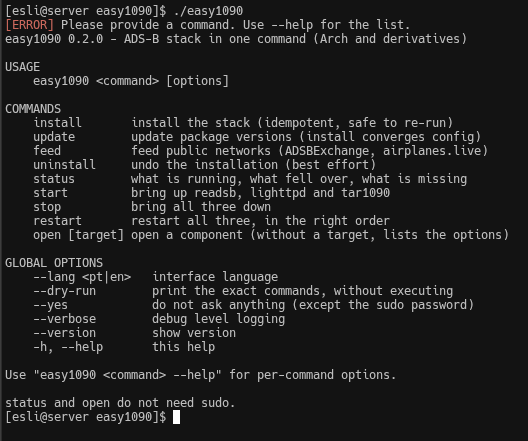
Before it touches anything as root, you can see exactly what it would do. --dry-run runs the entire read-only preflight and prints the literal commands, not descriptions of them:
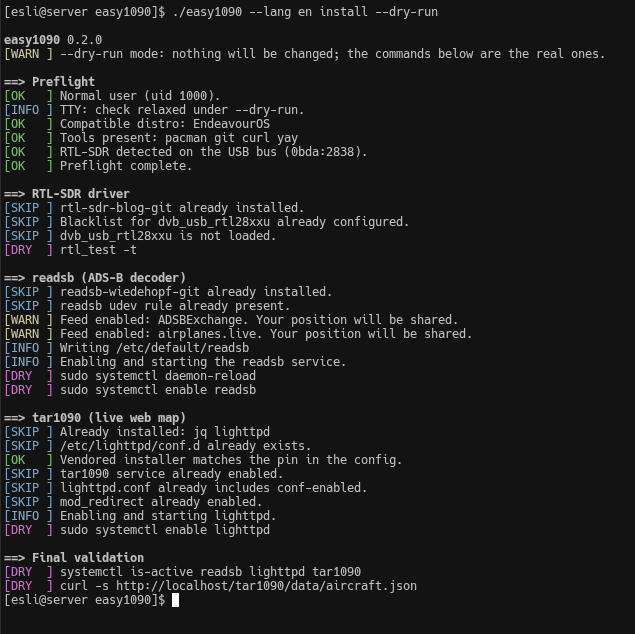
That screenshot shows two design decisions at once. The [DRY] lines are commands you could paste yourself, which is the minimum I think you owe someone before asking them to run a script as root. And the volume of [SKIP] is idempotency working: on a machine that is already configured, almost everything is recognised and skipped. Re-running is how you update, there is no separate mode.
A complete run, with --full, on a machine that already had everything:
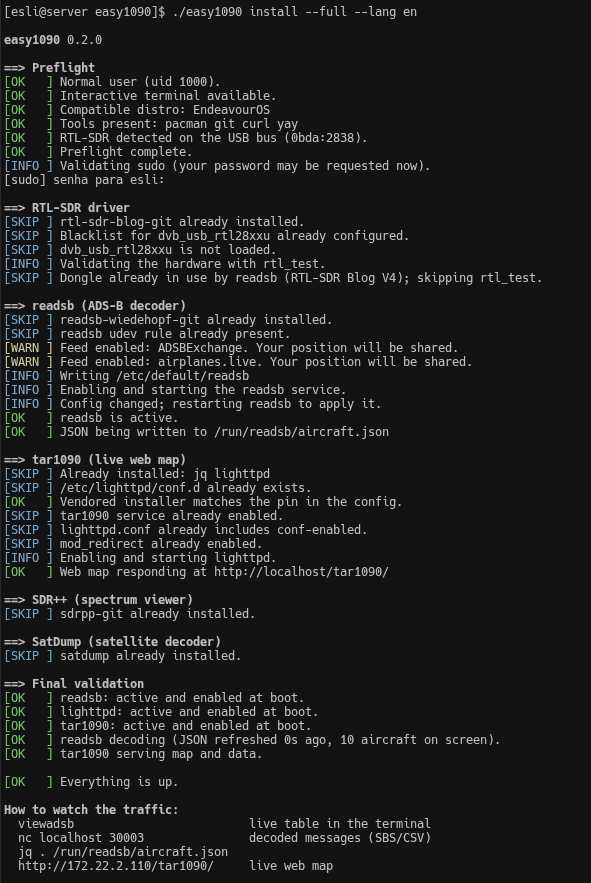
The final validation does not trust its own installation. It queries systemd, measures the age of the JSON file, and makes a real HTTP request against the map before declaring anything is up.
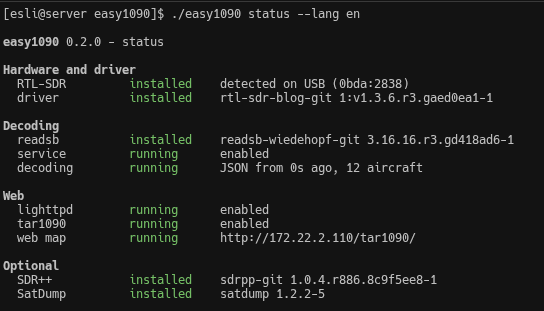
Two commands never ask for sudo, deliberately, because checking the state of your system should not cost a password:
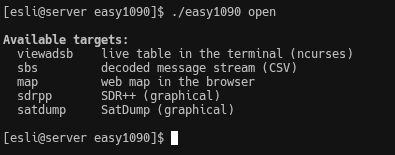
And open runs things in your current terminal rather than spawning windows, because this stack usually lives on a headless box you reach over SSH:
Watching the traffic
The map is the destination, but it is not the only way in, and the others are often more useful.
Three of them running side by side, which is how I usually leave a session while working on this:
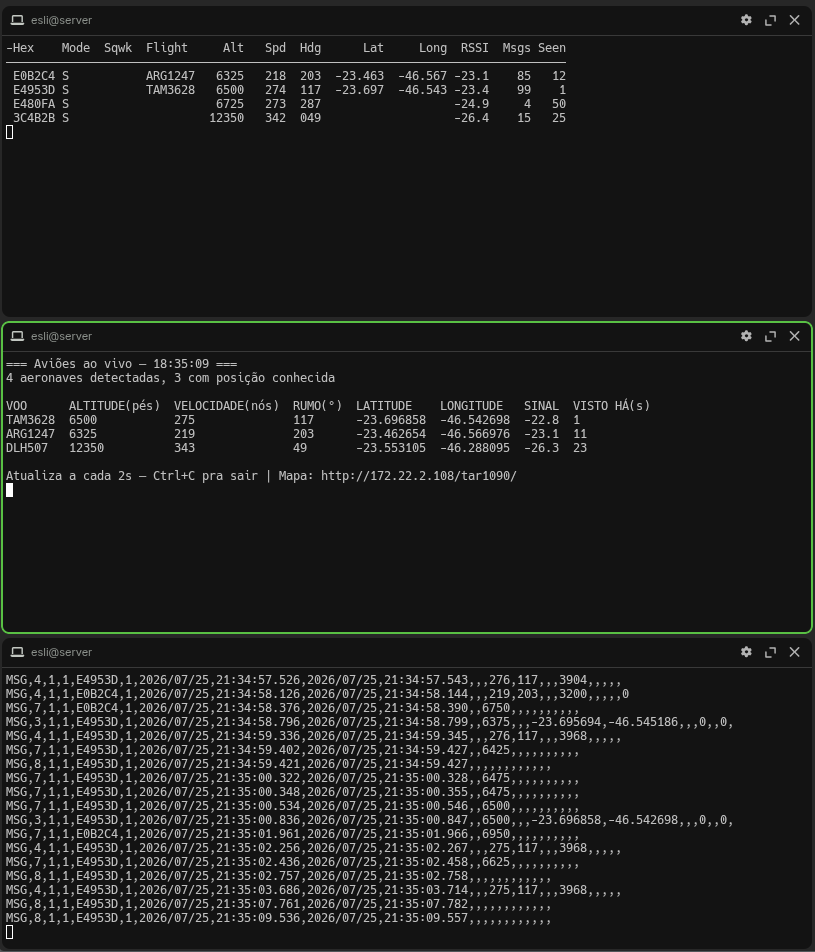
viewadsb ships with readsb and gives you an ncurses table that updates live. It needs a real terminal, since it takes over the screen. The header looks like this:
Hex Mode Sqwk Flight Alt Spd Hdg Lat Long RSSI Msgs SeenThose abbreviations are not obvious if you did not grow up around aviation, so here is what each one means:
| Column | Meaning |
|---|---|
Hex | The aircraft’s unique ICAO code, a sort of licence plate for the transponder |
Mode | Transponder mode. S means Mode S, the modern standard |
Sqwk | Squawk, the four digit code the pilot sets. 7700 is a general emergency |
Flight | Flight number or callsign, for example TAM3994 |
Alt | Altitude in feet |
Spd | Ground speed in knots |
Hdg | Track, in degrees from 0 to 360 |
Lat/Long | Position |
RSSI | Received signal strength. Closer to zero means stronger |
Msgs | How many messages that aircraft has sent you so far |
Seen | Seconds since the last message from it |
RSSI is the one to watch while you are positioning the antenna: move it, and the numbers tell you immediately whether you improved anything. Seen climbing means an aircraft is leaving your coverage.
The SBS stream on port 30003 is the one I reach for most, because it is a line per message in CSV and therefore composable with everything you already know:
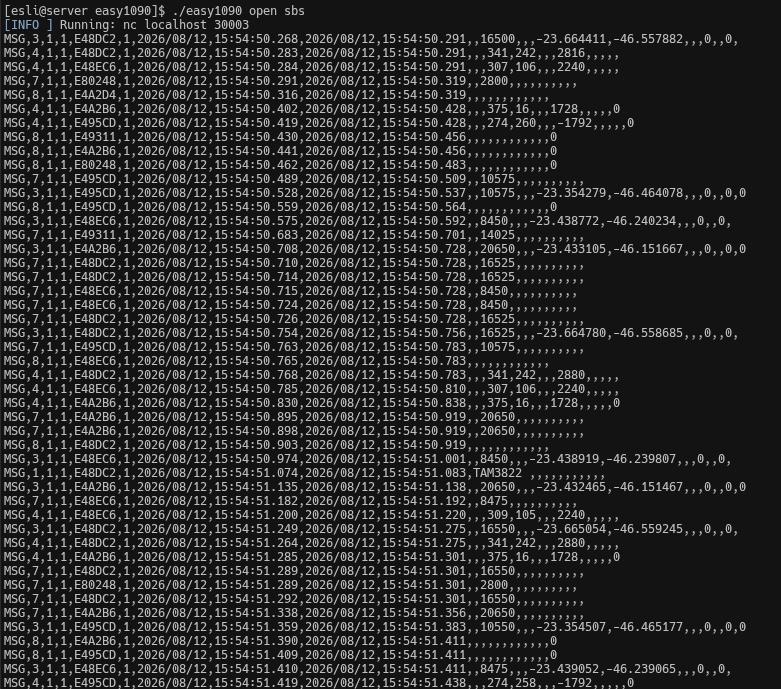
That is the raw material of the whole hobby: one decoded transponder message per line, straight off the antenna, seconds old. From there it is ordinary Unix:
nc localhost 30003 | tee -a ~/adsb-$(date +%F).csv   # log everything
nc localhost 30003 | grep E491F0                     # follow one aircraft
jq '.aircraft | length' /run/readsb/aircraft.json     # how many right now
Reading those lines is simpler than it looks. Take one:
MSG,3,1,1,E491F0,1,2026/07/24,18:19:31.069,2026/07/24,18:19:31.077,,10750,,,-23.53653,-46.35493,,,0,,0,0After MSG comes the transmission type, then some session fields, then the ICAO hex address, then the date and time the message was generated and logged, and after that the payload: callsign, altitude, ground speed, track, latitude, longitude, vertical rate and status flags. That one is a type 3, an airborne position message from aircraft E491F0 at 10,750 feet.
The columns look ragged because each message type carries a different subset. Type 3 brings position, type 4 brings velocity and heading, type 1 brings the callsign. No single message gives you the full picture, which is exactly why a decoder exists: it accumulates messages per aircraft over time and maintains the state that the map draws.
I wrote a small script that reads the JSON with jq and prints a table with full column names instead of abbreviations, for the times when I want to glance rather than parse. It is in the Portuguese guide, along with every other interface in detail.
What real testing taught me
The installer passed shellcheck. The dry-run looked perfect. Then I ran it on a clean machine, and the first install worked.
The second one is where everything appeared.
I re-ran it with new coordinates. It wrote the config correctly and called systemctl enable --now readsb, which does nothing to a unit that is already active. The daemon kept running on the previous configuration, with no error anywhere. The proof was in the timestamps: config written at 16:16, process up since 15:39, and journalctl reporting the old latitude while the file on disk had the new one.
Fixing that was not enough. On the third run, a config file existed, its symlink existed, and the URL still 404ed, because the file had been written by an earlier run that never restarted the daemon. Presence of a file does not prove the process read it. The fix compares the unit’s ActiveEnterTimestamp with the file’s mtime: if the service started before the file was written, it cannot possibly have loaded it.
Then, testing the full install, I watched yay remove 24 packages at the end, including airspy, hackrf, bladerf, rtaudio and soapysdr. The line immediately above listed those same packages as optional dependencies of SDR++, all marked installed. It installed and uninstalled them in the same run.
That one was my fault, from a flag I added thinking it was housekeeping: --removemake. AUR packages routinely list the same library in both makedepends and optdepends, needed to build a plugin and needed again at runtime to load it. yay only sees the build side. The damage, measured with ldd across the plugin directory: ten plugins without their libraries, including the audio sink. SDR++ opened fine, showed as installed, and had no audio output.
A fourth case is more subtle, and it is the one that taught me the most. On a re-run, the installer warned that it could not identify the tuner. Investigating, rtl_test was ending with usb_claim_interface error -6. Nothing was broken: readsb was already running and holding the device, so the test enumerated the card and could not claim it. A healthy system producing an alarming message, which is the mirror image of the other three.
And one of them was entirely mine. When I moved the separate scripts into a single entrypoint with subcommands, the module files started being sourced from inside a function, and declare inside a function creates a local variable:
f(){ source /dev/stdin <<< "declare A=1
readonly B=2"; }
f
echo "A=${A:-GONE} B=${B:-GONE}"
# A=GONE B=2
readonly survives, declare does not. Every module constant used readonly and kept working; the two state variables that used declare became ghosts. The uninstall command started failing with an unbound variable on its first real use, and I did not notice, because I never re-tested it after the refactor. It surfaced weeks later when I wrote a new command that broke the same way.
The lesson there is not about bash. It is that a refactor which changes the execution context of your code invalidates every test you ran before it, and I had only revalidated what I happened to exercise that day.
Look at what those failures have in common: none of them produces an error. The service is green in systemctl while running the wrong config. The file is there and was never read. The program is installed and half its plugins do not load. The hardware test fails precisely because the hardware is in use.
Noisy failures are easy, they tell you where to look. These require you to distrust a system that is actively telling you it is fine. The only way I found to catch them was running again, and again, on real hardware. That changed my definition of done: an installer that works on the first run is not finished, it is untested.
Feeding the networks, if you want to
Your receiver sees a few hundred kilometres. Thousands of receivers together see the world. Contributing is optional, off by default in easy1090, and asked explicitly, because sending your data and your IP to a third party should be a deliberate act.
Two networks are worth knowing about, and the difference between them is political rather than technical.
ADSBExchange built its reputation on not filtering. In the US, the FAA runs a programme called LADD that lets aircraft owners request their flights be hidden, and the large networks honour those requests. ADSBExchange refused, which is why it became the source of choice for journalists tracking private jets belonging to oligarchs and billionaires. In January 2023 it was sold to JETNET, an aviation data intelligence company, for a reported figure around 20 million dollars. The community, made of unpaid volunteers who had donated the hardware and the bandwidth, reacted badly, and the fear was obvious: a company selling aviation intelligence to corporate clients has commercial incentives a community does not.
airplanes.live is one of the community run alternatives that grew after that sale.
You can feed both at once. They are independent TCP connectors on the same readsb, and feeding one does not disturb the other:
./easy1090 feed                 # list the networks and their state
./easy1090 feed adsbexchange
./easy1090 feed airplaneslive
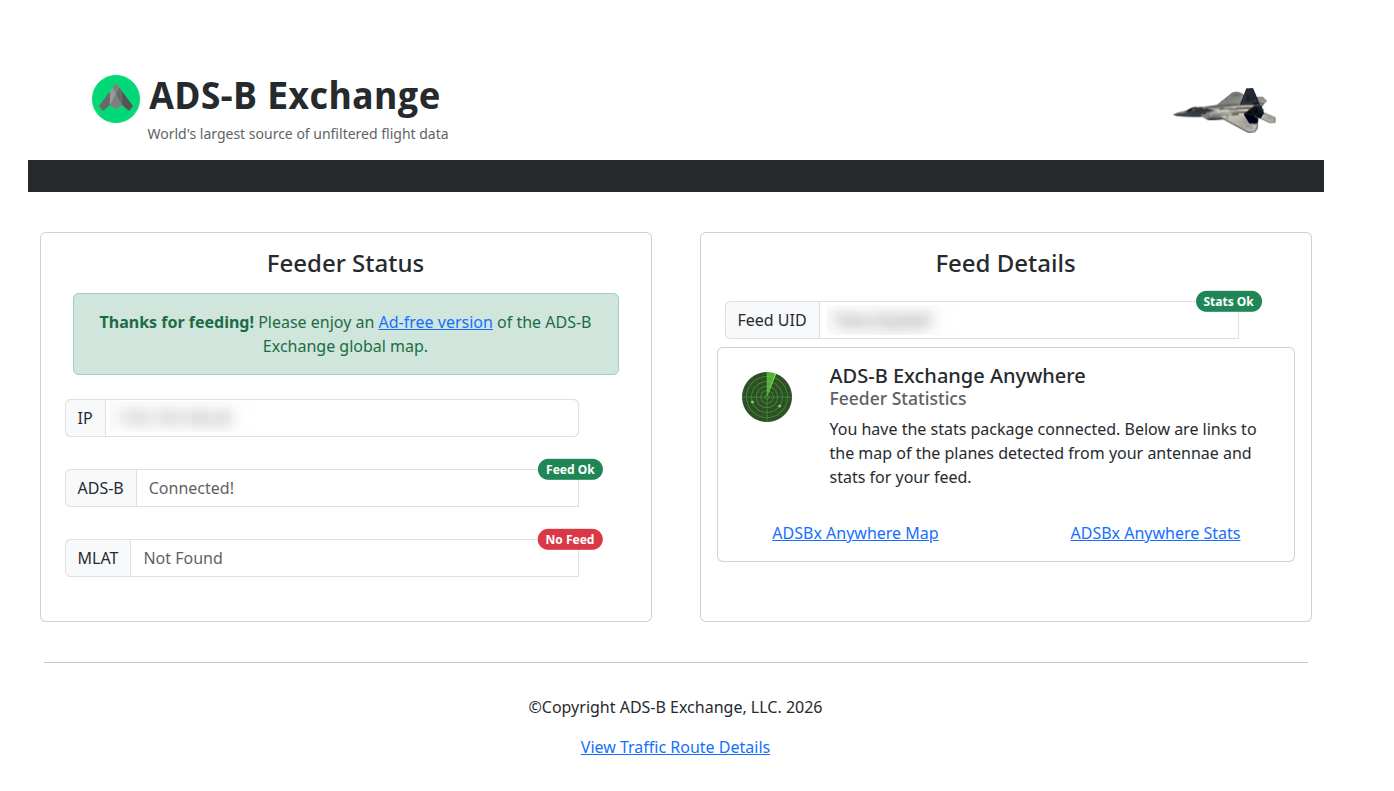
Once you are feeding, each network gives you a page confirming it. ADSBExchange checks by IP and tells you whether the ADS-B connection and the statistics package are both alive:
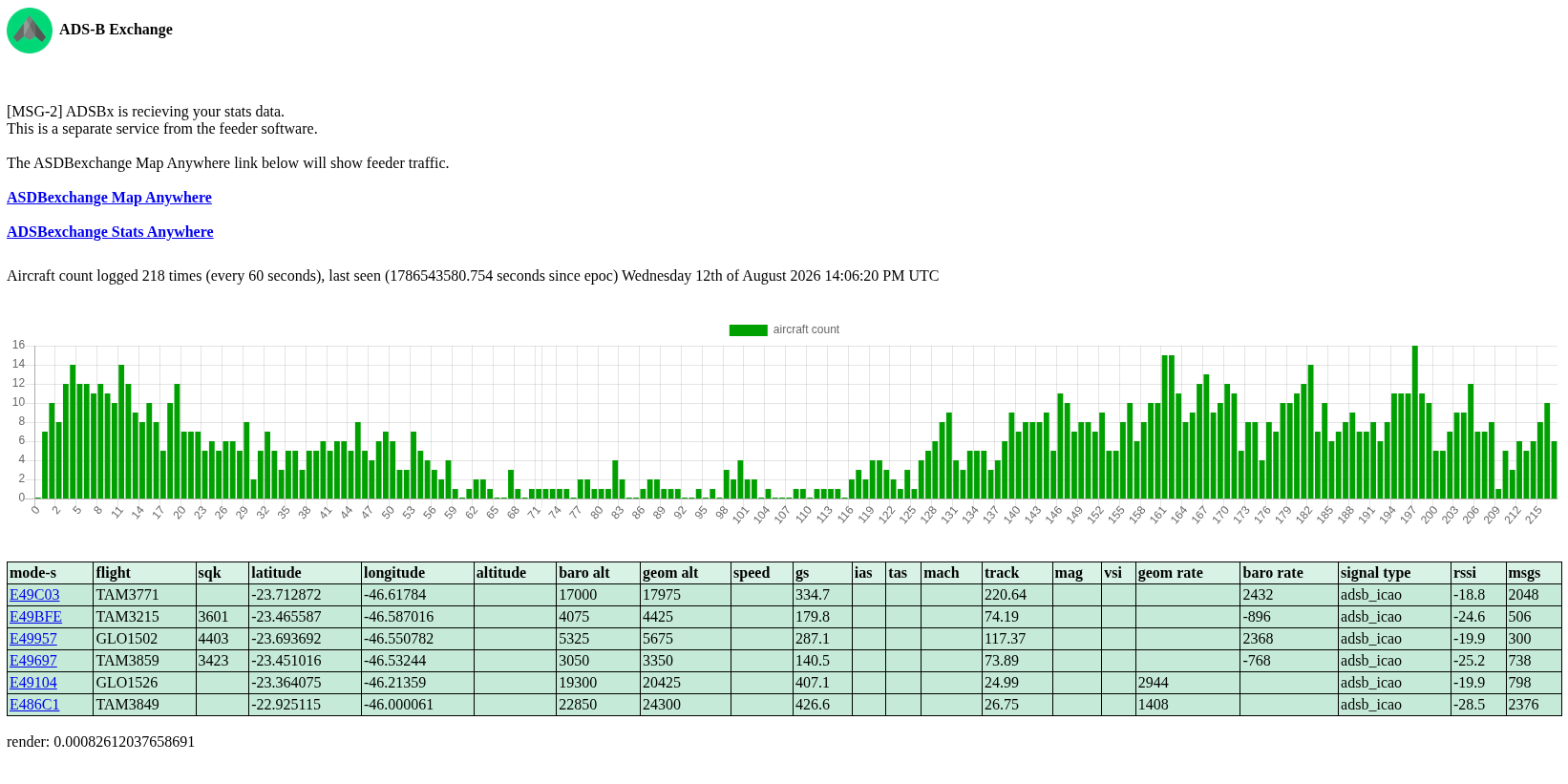
Their statistics page plots what your receiver has been delivering, one sample per minute. The dip in the middle is the small hours: it is the traffic over Guarulhos drawn by hour of day:
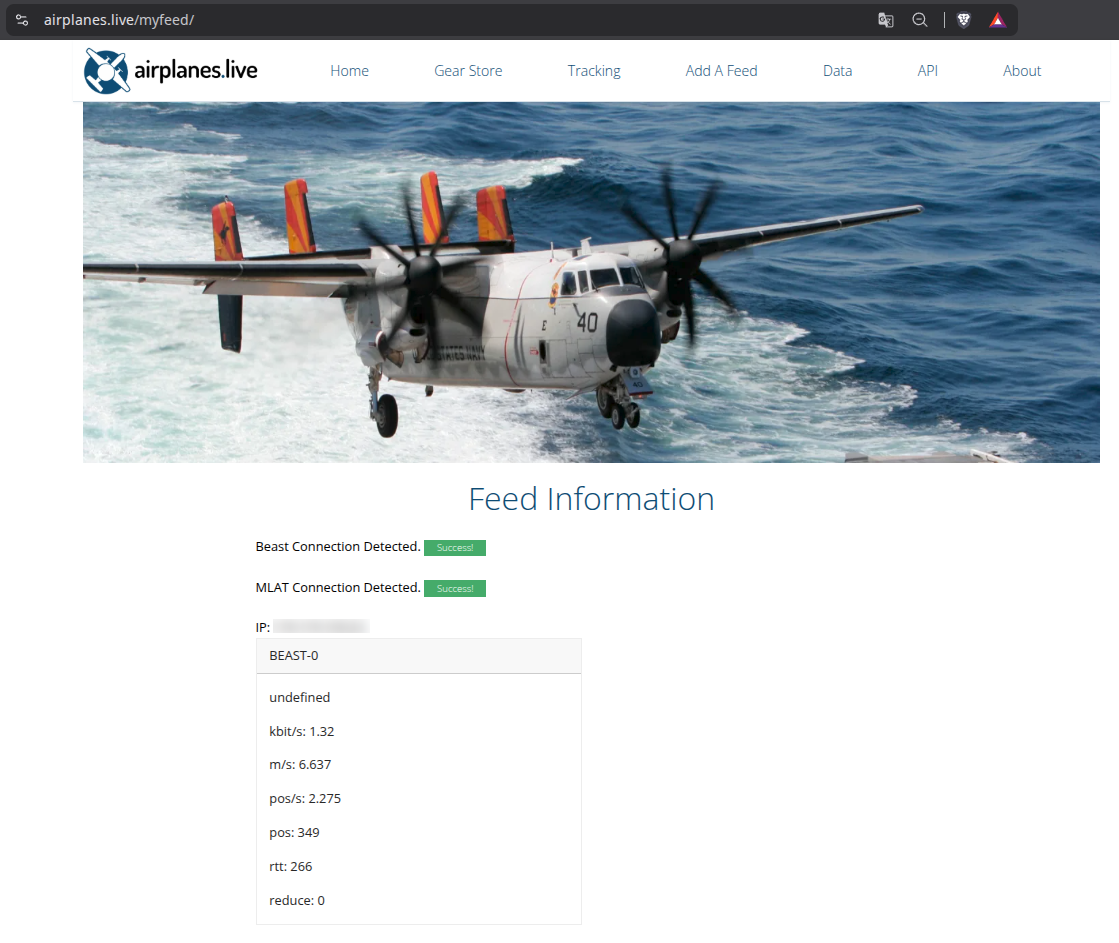
airplanes.live does the same, more compactly:
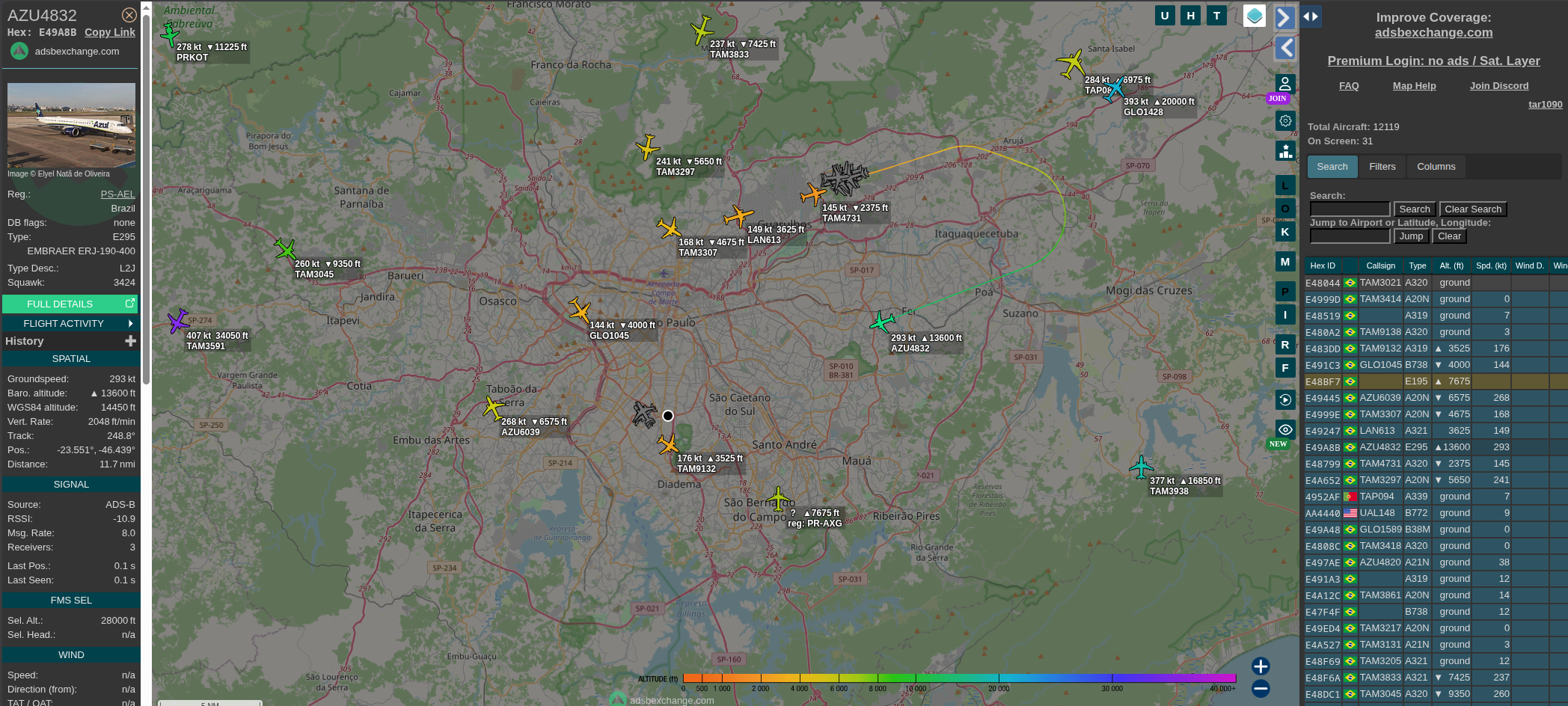
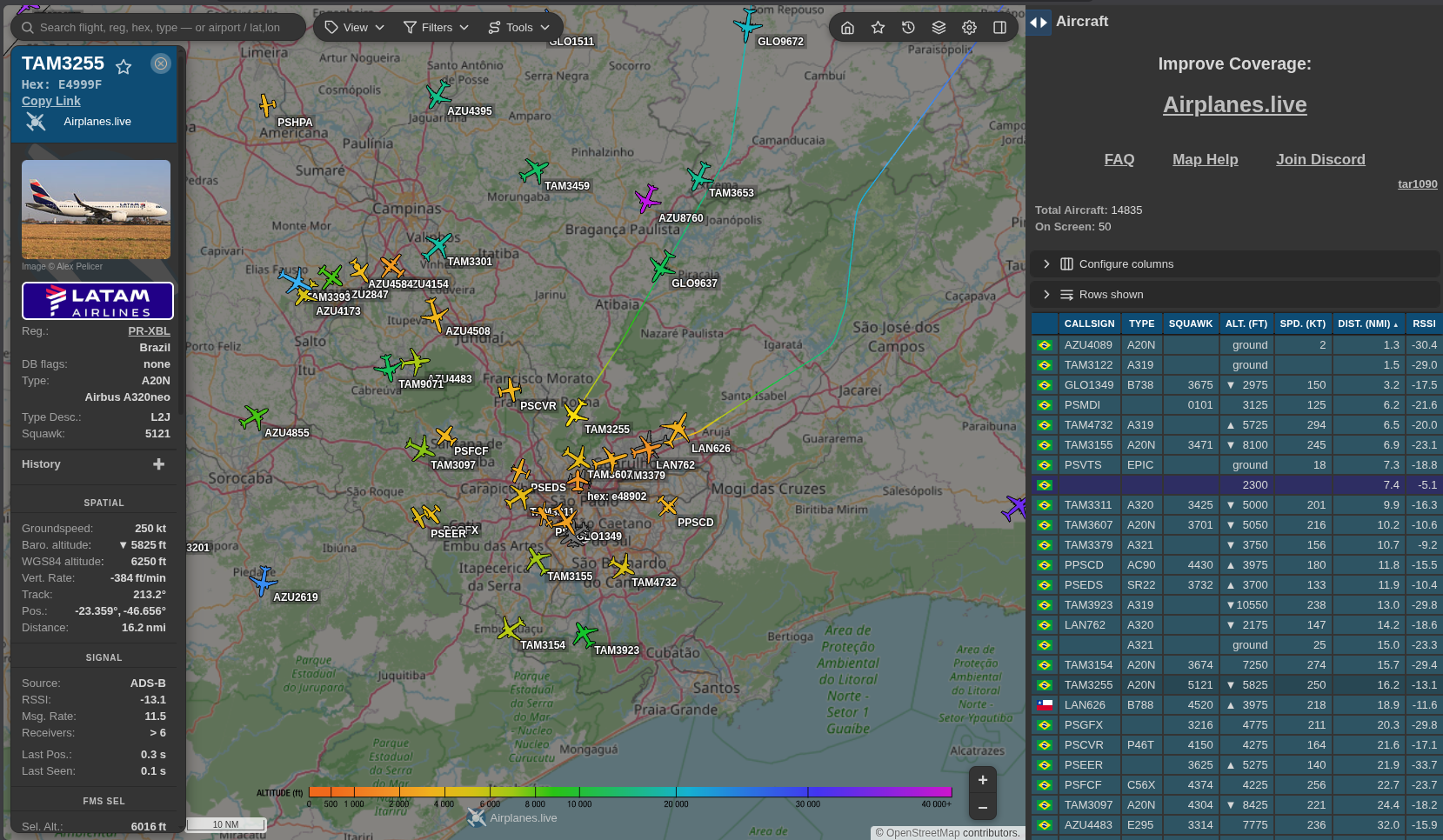
And then the payoff, which is seeing your own data inside a global map. This is ADSBExchange over the São Paulo metropolitan area, 31 aircraft on screen out of the 12,000 the whole network was tracking at that moment:
And the same region on airplanes.live:
A detail worth knowing if you care about privacy: feeding ADS-B does not send your coordinates. The Beast protocol carries aircraft messages, not the position of whoever received them, and I verified that the ADSBExchange stats package contains no reference to receiver latitude or longitude either. What they know is your IP and which aircraft you hear. Your exact position is required only by MLAT, multilateration, which needs it to compute positions by time difference of arrival and runs as a separate client.
The uncomfortable inversion is that the exact coordinate does sit in your local receiver.json, which is what your own map reads. If your tar1090 is reachable from outside your network, that is where your address is exposed, not at the aggregator.
I wrote the whole decision up, including why I changed my mind about contributing, here.
One more pattern
While validating the feeding scripts, I read them before running them, which is a habit worth having when something wants root.
The ADSBExchange stats installer calls adduser with no fallback, under set -e. Arch has useradd, not adduser, so the script dies on that line having created an empty directory and nothing else. Their website keeps telling you the stats package is not configured, no matter how many times you run their command.
The airplanes.live installer, written independently by a different team, has exactly the same bug, with a comment above it claiming the second form is “for fedora / centos” when both forms are adduser.
Neither project is wrong to assume Debian. It is just that the assumption is invisible until you are the exception, and then it is invisible in the worst way: silently.
easy1090 works around both without patching either. It creates the system user first, so their own id -u check passes and the adduser branch is skipped, installs the dependencies their script only knows how to fetch with apt or yum, and hands over control. Their script runs unmodified, which means an upstream update never conflicts with a patch of mine.
Where to start
If you want to build one: an RTL-SDR Blog V4 from the official store, the shortest antenna element mounted vertically with a view of the sky, and any machine that stays on. A Raspberry Pi is the obvious choice, and if that is what you have, the upstream scripts will treat you well.
If you run Arch, or EndeavourOS, or Omarchy, easy1090 exists so that you spend your time on the radio rather than on the packaging. Read the --dry-run output first. The KNOWN_ISSUES.md in the repository documents every workaround with the reason it exists, which is the file I would want to read before trusting somebody else’s installer.
The full series, in Portuguese, starts here.
References
Everything above stands on other people’s work. These are the sources worth your time, in the order I would read them.
The 1090 Megahertz Riddle, by Junzi Sun (TU Delft). A free, open book and the best reference that exists on decoding Mode S and ADS-B, from the preamble to CPR. If you read one thing from this list, read this one.
pyModeS, by the same author. A Python library for decoding the messages by hand, which is the fastest way to turn the book into intuition.
On the Security of the Automatic Dependent Surveillance-Broadcast Protocol, by Strohmeier, Lenders and Martinovic, in IEEE Communications Surveys & Tutorials. The academic survey on the protocol’s lack of authentication and the defences that have been proposed.
Ghost in the Air(Traffic), by Costin and Francillon, Black Hat USA 2012. The practical ADS-B spoofing demonstration that moved the subject out of the theoretical.
dump1090, the FlightAware fork. The decoder most guides start from, and the ancestor of readsb.
FAA: ADS-B. The American regulator’s official page on the programme, useful for the mandate dates and the equipage rules.
RTL-SDR Blog: About RTL-SDR. An overview of the hardware that makes all of this fit inside a USB dongle.